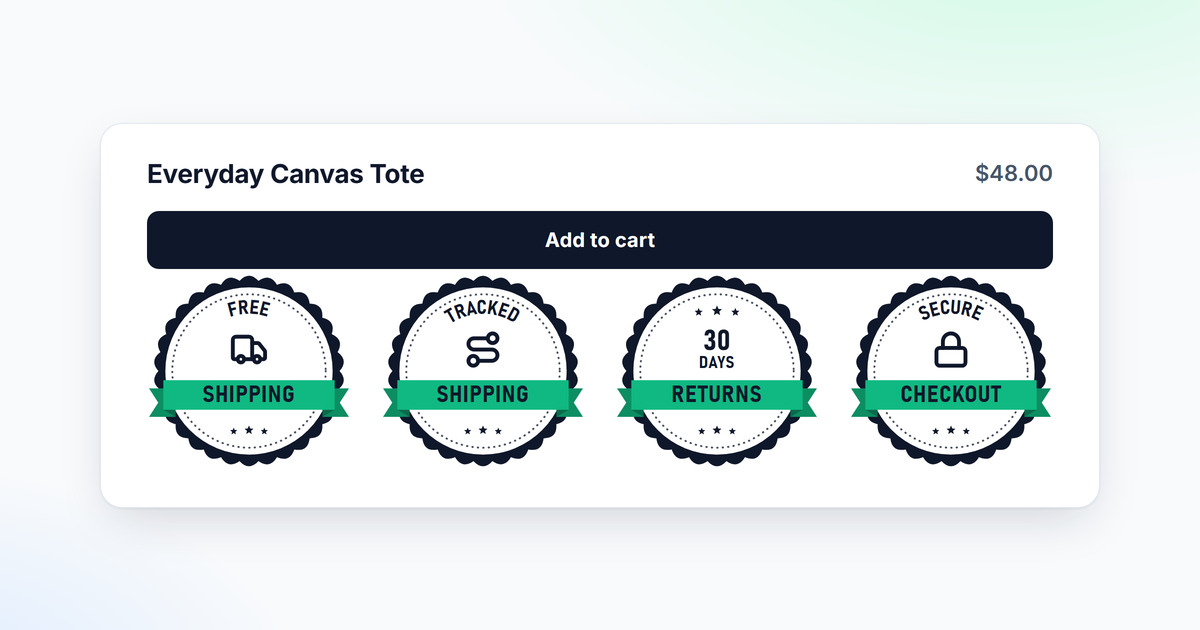
Trust badges work because they confirm, at a glance, the promises a shopper would otherwise have to dig out of your policy pages. In a randomized test on a retailer's site, shoppers who were shown a third-party seal bought more often than shoppers who were not, and a later study of 493 retailers found the lift largest for new stores and first-time shoppers. A badge does its work at the moment of doubt, right next to the button that asks for a decision. Placement decides more than design.
CartHacker makes a trust badge app, Trust Seals & Badges, so weigh this guide with that in mind. It covers why badges work on shoppers, which ones answer a doubt your shoppers really have, where to put them, which ones the law now forbids, and how to measure them on your own store, with numbers from the badges on camelway.eu, a store I built and ran. One famous number is left out. The 42% lift quoted on most badge app pages cannot be traced to a method, and the traceable evidence makes the case on its own.
Do trust badges increase conversions?
Yes. The best study is a randomized field experiment published in Information Systems Research in 2013: a seal provider showed or hid its assurance seal at random across 9,098 shopping sessions on one retailer's site, and the sessions that saw the seal ended in a purchase more often. A follow-up in Decision Support Systems in 2015 looked at more than 250,000 transactions at 493 retailers and found where seals pay off most: newer merchants, shoppers with little online experience, larger carts and the later steps of a purchase. More than two seals appeared to make a completed purchase less likely.
| Source | What was tested | Result | Keep in mind |
|---|---|---|---|
| Ozpolat, Gao, Jank and Viswanathan, Information Systems Research, 2013 | A third-party assurance seal shown or hidden at random, 9,098 sessions on one retailer's site | The seal raised the likelihood of a purchase | One store, and the seal provider ran the experiment |
| Ozpolat and Jank, Decision Support Systems, 2015 | Third-party seals across more than 250,000 transactions at 493 retailers | Largest effect for newer merchants, inexperienced shoppers and bigger carts; more than two seals appeared to lower completion | Seals only, so it says nothing about free shipping or returns badges |
| Baymard Institute, seal surveys, 2013 to 2023 | Which seal gives shoppers the best sense of trust when paying | Norton first; a homemade seal with no issuer beat every other vendor's SSL seal | What people say, not what they do |
| Baymard Institute, checkout abandonment survey | Why shoppers left a checkout | 19% did not trust the site with their card details | Extra costs came first, at 40% |
| Blue Fountain Media, agency A/B test | A VeriSign seal on a form | 42% more form conversions | No sample size, duration or significance published; the agency's site is offline |
Results as each source reports them. The two Ozpolat studies are summarized from their published abstracts.
The pages that repeat the 42% rarely repeat the other results. Unbounce's roundup of security seal tests, which credits the 42% to Blue Fountain Media, also reports an 11% lift from a Norton seal at US Cutter and a 1.6% drop from a McAfee badge in a WiderFunnel test. One badge, many results. Every one of those numbers belongs to the store that measured it.
Where the 42% figure comes from
The figure belongs to Blue Fountain Media, a web agency that published an A/B test in which a VeriSign seal was added to a form. Every copy I could find gives the 42%, and some add that the seal replaced a privacy note; none gives the number of visitors, the test length or a significance level. It may well have been real. It was also one form on one site, and it says nothing about a product page or a checkout.
Why trust badges work on shoppers
A badge is a promise in a form the eye takes in at a glance. Jakob Nielsen's studies of how people read online found that 79% of test users scanned every new page and only 16% read word by word, so a returns policy written as a paragraph under the price mostly goes unread. A 30-day returns shield gets seen. The authors of the seal experiment describe seals as a way to reduce uncertainty and increase purchase conversion: a mark that vouches for a store lowers the risk a shopper feels about a seller they do not know yet.
Uncertainty peaks at the payment step. In Baymard Institute's checkout survey, 19% of shoppers who left a checkout said they did not trust the site with their card details. The top reason, extra costs, is another doubt a badge can settle before the checkout raises it. That is the whole job of a trust badge: confirm, next to the button, what the shopper would otherwise have to leave the page to check.
Three kinds of trust badges, and what each one can do
Trust badges is one name for three different things, and the studies in the table cover only the first of them, the seals issued by another company. They do different jobs. Treating them as one is how a product page ends up with eleven icons and no clear promise.
- Third-party seals: a mark issued by a company that checked something about the store, such as an SSL certificate seal from Norton or DigiCert, Better Business Bureau accreditation or a review platform's rating widget. This is what Ozpolat and Baymard studied. A seal may be shown only while the issuer grants it.
- Promise badges: your own policies drawn as icons with a short line, such as free shipping over a stated amount, dispatch within 24 hours, 30-day returns or a two-year warranty. I found no controlled study that isolates them. The closest evidence is the list of reasons shoppers give for leaving a checkout, which says which promises matter.
- Payment icons: Visa, Mastercard, PayPal, Apple Pay. They tell a shopper whether their method is accepted, which is a real question: 9% of the shoppers in Baymard's survey left a checkout because there were not enough payment methods. Most Shopify themes already draw them in the footer from the payment methods the store has switched on.
Which trust badges answer a real reason to leave
A badge helps when it answers the doubt a shopper has at that moment, in the words of a promise the store keeps. Baymard Institute asks shoppers why they left a checkout, and its list is the best map of those doubts, so read it as a list of the badges worth having. Each row is a badge.
| Why shoppers left a checkout | Share | Badge that answers it | What has to be true |
|---|---|---|---|
| Extra costs too high: shipping, tax, fees | 40% | Free shipping over a stated amount; duties and taxes included | The amount and what is included match the checkout total |
| Delivery was too slow | 20% | Dispatch within a stated time | Your real dispatch time, in hours or days |
| Did not trust the site with card details | 19% | Secure checkout, close to the payment step | Checkout runs over HTTPS on your platform or payment provider |
| Returns policy was not good enough | 13% | Returns window in days, free returns | Your returns page states the same number |
| Could not see the total cost up front | 12% | No hidden fees, or the delivery price stated | The cart shows the total before checkout |
| Not enough payment methods | 9% | Payment icons | Only the methods the checkout really offers |
Baymard Institute, cart abandonment statistics, shoppers who were just browsing excluded. Shoppers could give more than one reason, so the shares add up to more than 100%.
Decoration is everything that answers no question. "100% quality" and "best price" promise nothing a shopper can hold you to, and a row of them dilutes the two or three badges that do. A quality badge earns its place when the store can say what the quality is. On camelway.eu, the Premium quality badge stands for a production method, low-temperature spray drying, that sets the product apart from its competitors. The fix for the top reason on the list, extra costs, is often a pricing change rather than a badge: a free shipping threshold set above your average order is a promise and a sales lever at once. Why shoppers abandon their carts covers the rest of the list, and the product page checklist covers the page around the badges.
Where to put trust badges on a product page and in the cart
Put them where the decision happens: directly under the Add to cart button, and in the cart under the checkout button. A shopper's doubt peaks at the button. Baymard's checkout testing points the same way for card details: one or two security icons inside the box that frames the payment fields helped shoppers feel those fields were secure.
- Under Add to cart: the two to four promise badges that answer your shoppers' doubts, in one row.
- In the cart, under the checkout button: secure checkout and the returns window. On Shopify this is as close to the payment step as a badge can get, because only Shopify Plus stores can add elements inside the checkout itself. On WooCommerce the checkout is your own page, so a secure checkout badge can sit next to the payment fields.
- Above the footer: the weakest spot. By the time a shopper scrolls there, the decision has been made.
- How many: no more than two third-party seals, which is where the 2015 study saw completion fall, and no more than four promise badges. Past that, a row reads as noise.
Check them on a phone. Badge text is drawn small and a seal with curved lettering shrinks it further, so a badge nobody can read on a 390-pixel screen is decoration, whatever it says, and that is the screen most shoppers use.
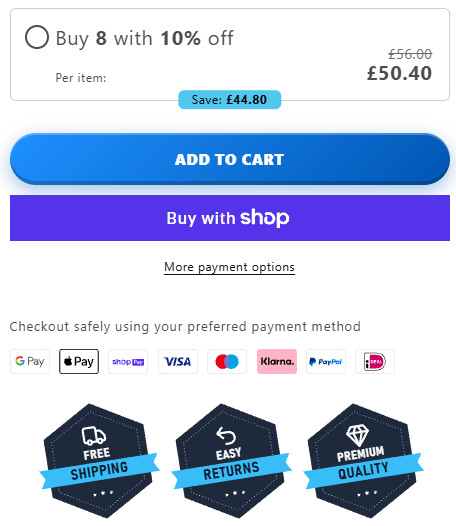
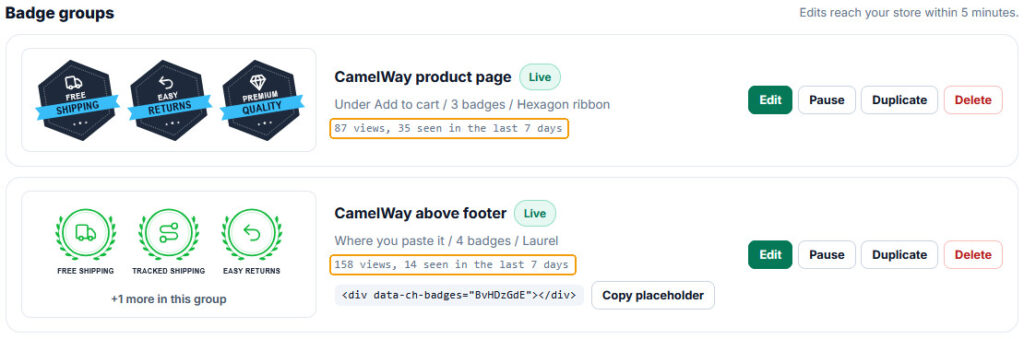
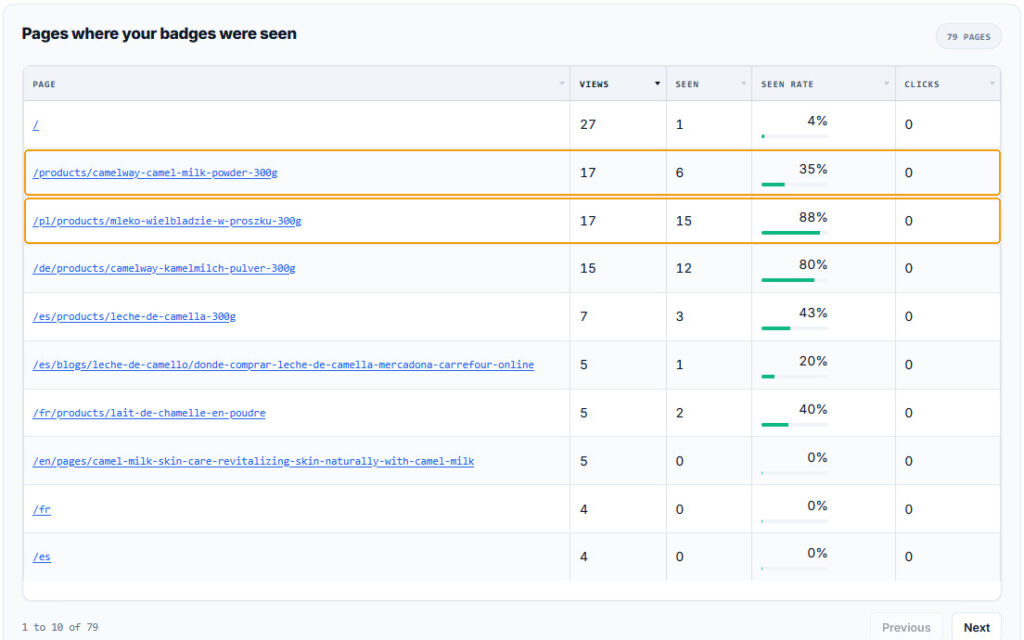
Language matters as much as position. In CSA Research's survey of 8,709 online shoppers in 29 countries, 76% preferred to buy products with information in their own language and 40% said they never buy from websites in another language. A badge promising free shipping in English on a German page settles that doubt for fewer shoppers. In their first days on camelway.eu, the same two rows were shown in eight languages, each matched to the language of the page: English on 45% of views, Spanish on 13%, German on 12%, French on 9%, Polish on 6%, Swedish on 5%, and Italian and Dutch on 4% each. In Trust Seals & Badges, matching the page's language is a CartHacker Premium setting.
Weight matters too. A badge row is a few icons and a line of text each, and it should cost the page about as much as a small image. On camelway.eu our badge loader is 23 KB, while the Vitals app bundle on the same page, which draws trust badges among many other widgets, is 149 KB. Finding what slows down a Shopify store shows how to see what each app adds.
Add trust badges under your Add to cart button
Build a badge row and install it with one line on Shopify or WooCommerce. A free account gets 8 badges and view counts.
Build my trust badgesTrust badges you are not allowed to show
In the European Union some badges are banned outright, with no need for anyone to prove a shopper was misled. The Unfair Commercial Practices Directive has carried a blacklist since 2005, and its point 2 bans "displaying a trust mark, quality mark or equivalent without having obtained the necessary authorisation". That covers a downloaded "Secure" shield styled like a security company's seal. So does an uncertified "Certified" rosette.
Directive (EU) 2024/825 added two more. Since 27 September 2026, when every EU country began applying it, a sustainability label is allowed only when it is based on a certification scheme or set up by a public authority. A generic environmental claim such as "eco-friendly", "green" or "ecological" is banned unless the store can show recognised excellent environmental performance relevant to that claim. A leaf icon over the words eco-friendly makes exactly that kind of claim.
The quieter trap is point 10 of the same blacklist: presenting rights that consumers already have by law as a special feature of your own offer. EU shoppers get a 14-day right to withdraw from an online purchase and a two-year legal guarantee from every seller. Selling either as a perk is banned. Offer more than the law requires, such as 30-day returns, or describe the right as the law gives it.
In the US the Federal Trade Commission's Green Guides set a similar line for environmental seals. They treat implying that a product is endorsed or certified by an independent third party, when it is not, as deceptive, and they treat an unqualified environmental seal as a broad environmental claim the seller must be able to back. That rule works in both places. Every badge should match a sentence on your policy pages, with the same number.
That is why Trust Seals & Badges has no certificate-style seals and no eco badges, why the number on every badge can be edited on every plan, and why each badge that makes a checkable claim carries a note about it in the builder.
How to test whether trust badges work on your store
Compare two versions at the same time. A before-and-after comparison mixes the badges with everything else that changed that month: a campaign, a holiday, a price, the weather. A split test shows the badges on part of the product page views, hides them on the rest, and compares how often each group adds to cart. Add to cart is the right measure for this. It happens on the page where the badges are, it happens far more often than an order, and on Shopify no theme script can see the checkout anyway.
The hard part is volume. The smaller the effect, the more views it takes to tell it apart from chance, and the numbers grow fast, so I calculated them for a standard two-version test at 95% confidence and 80% power.
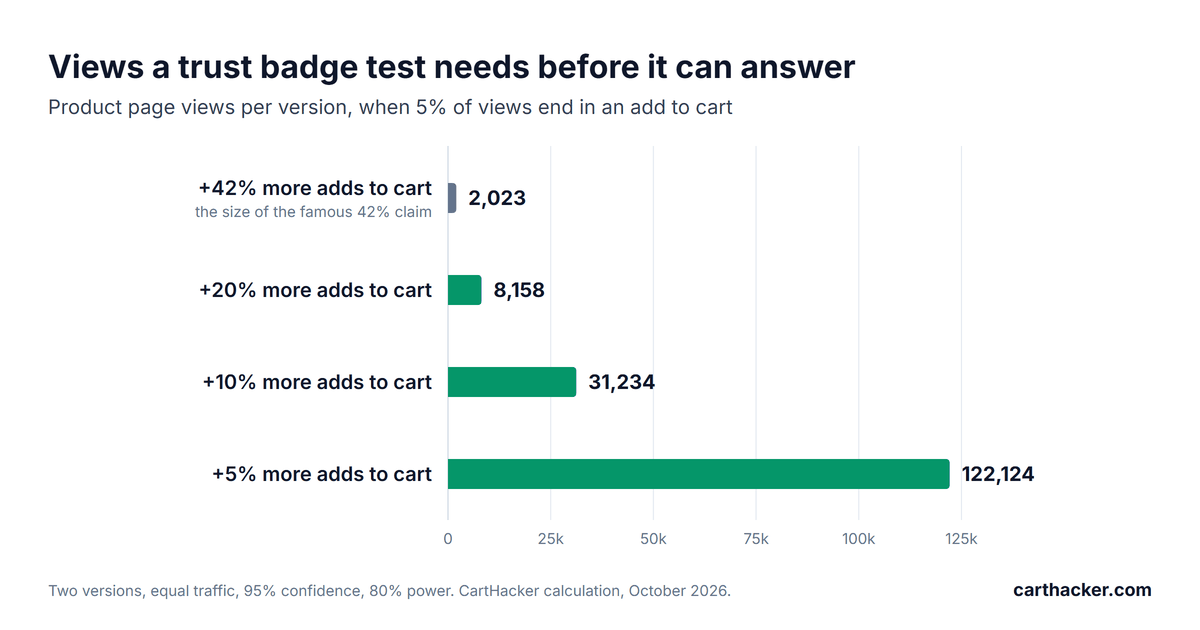
| Add to cart rate | To see +5% | +10% | +20% | +42% |
|---|---|---|---|---|
| 3% of product page views | 207,938 | 53,211 | 13,914 | 3,458 |
| 5% of product page views | 122,124 | 31,234 | 8,158 | 2,023 |
| 8% of product page views | 73,853 | 18,872 | 4,921 | 1,215 |
Product page views needed for each version, with equal traffic to both and a two-sided two-proportion test. Lifts are relative: +10% on a 5% rate means 5.5%.
A store with 500 product page views a day and a 5% add to cart rate, split evenly, would see a 42% effect in about 9 days. To see a 10% effect it needs about 125 days, and a 5% effect would take more than a year. Nothing promises a big one. So a test that shows nothing after three weeks has not proved that badges do nothing; it has only shown that the effect is smaller than that much traffic can detect.
CartHacker Premium includes this test. Trust Seals & Badges hides the badges on a share of product page views you choose, sets no cookie and stores nothing on the shopper's device, counts adds to cart in both groups, and gives a verdict only when each group has enough views and adds to cart and only as far as a 95% confidence interval supports. It cannot count orders, because Shopify's checkout is out of reach of theme scripts.
Trust badge checklist
- Start from your shoppers' doubts: shipping cost, delivery time, payment safety and returns, in that order for most stores.
- Back every badge with a policy: the same number on the badge and on the policy page.
- Drop the decoration: no "best quality", no "best price", no seal you were not issued.
- No eco badges in the EU unless a certification scheme or a public authority stands behind them.
- Never sell a legal right as a perk: the 14-day withdrawal right and the two-year guarantee belong to every EU shopper.
- Place them under Add to cart and under the checkout button: not only in the footer.
- Keep it short: at most two third-party seals and four promise badges.
- Check a phone: every word readable and the row directly under the button.
- Test before you believe a number: a split test on add to cart, and patience matched to your traffic.
Trust badge questions store owners ask
Do trust badges work on Shopify?
They work on Shopify the way they work anywhere: best for a newer store, for shoppers who do not know it yet, and for badges that answer a real doubt. Shopify runs the checkout itself. Only Plus stores can add elements inside it, which leaves the product page and the cart, where the decision to start paying is made.
Which trust badge do shoppers trust most?
In Baymard Institute's surveys, Norton's seal came first in 2013 and still led in 2023. A homemade seal with no issuer behind it beat every other vendor's SSL seal in those tests, which shows how little shoppers know about who issues what. Hence the EU ban on unearned seals.
How many trust badges should a product page have?
Two to four promise badges under Add to cart and at most two third-party seals, because in the 2015 study of 493 retailers more than two seals appeared to lower completed purchases. Each badge should answer a different doubt.
Are free trust badge apps worth it?
A free app is fine if it lets you edit the numbers to match your policies, draws nothing that imitates a certificate, and adds little weight to the page. Check all three before you install it, then open a product page on your phone and confirm the badges show under the button.
Can I add trust badges to the Shopify checkout?
Only on Shopify Plus, which can extend the checkout pages. On every other plan the closest spot is the cart page, directly under the checkout button, which is also where a shopper decides to start paying.
Do payment icons count as trust badges?
They answer a different question: will my payment method work here. Show only the methods your checkout really offers, and let your theme draw them where it can, because it reads them from your payment settings and keeps them current.
Add trust badges under your Add to cart button
Build a badge row and install it with one line on Shopify or WooCommerce. A free account gets 8 badges and view counts.
Build my trust badgesSources
- Ozpolat, K., Gao, G., Jank, W. and Viswanathan, S. (2013). The Value of Third-Party Assurance Seals in Online Retailing: An Empirical Investigation. Information Systems Research, 24(4), 1100-1111.
- Ozpolat, K. and Jank, W. (2015). Getting the most out of third party trust seals: An empirical analysis. Decision Support Systems.
- Nielsen, J. (1997). How users read on the web. Nielsen Norman Group.
- CSA Research (2020). Can't Read, Won't Buy: B2C, a survey of 8,709 consumers in 29 countries.
- Baymard Institute: How users perceive security during the checkout flow, Which site seal do people trust the most? and Cart abandonment rate statistics.
- Unbounce: Can SSL, trust seals and other security indicators increase conversions?
- European Union: Unfair Commercial Practices Directive 2005/29/EC, Annex I, and Directive (EU) 2024/825 on empowering consumers for the green transition.
- US Federal Trade Commission: Guides for the Use of Environmental Marketing Claims (16 CFR Part 260).
- Sample sizes: CartHacker calculation, two-sided two-proportion test, 95% confidence, 80% power, October 2026.