Read the full report in WordPress admin
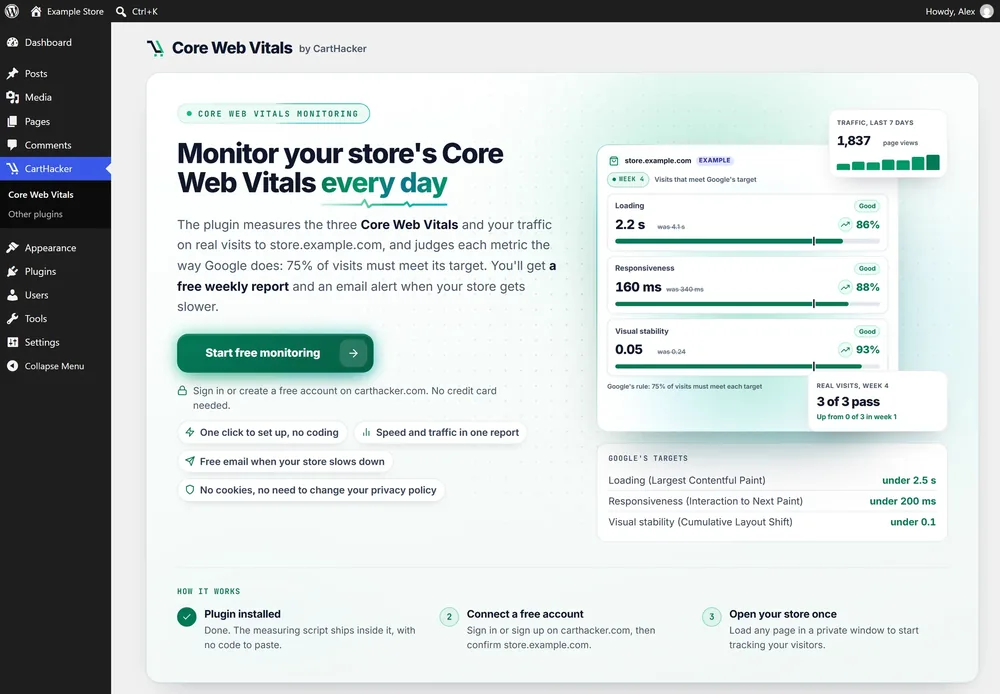
Your current Core Web Vitals, page views, unique visitors, device and browser statistics in one place, under CartHacker in your admin menu.
Core Web Vitals Monitoring for WordPress Free
Track Core Web Vitals in WordPress on every real visit: Loading (LCP), Responsiveness (INP) and Visual stability (CLS), pass or fail by Google's rule. Unlike a PageSpeed Insights test, you get real-visitor data within minutes, plus your traffic, on WordPress and WooCommerce.
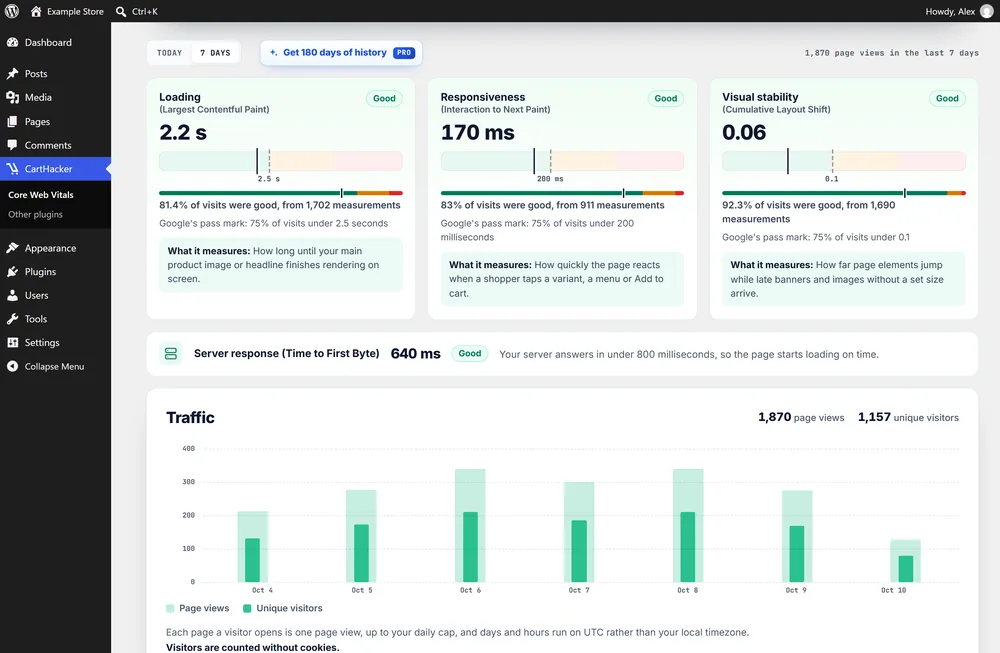 Example
Real numbers
Your hosting, theme and plugins decide your speed, so every update can make your store faster or slower. The plugin shows which one it was, from your real visitors, the day it happens.
From the CartHacker study of 1.58 million online stores, August 2026, built on Google's Chrome UX Report and the HTTP Archive. Read the full study
of WooCommerce stores pass all three Core Web Vitals for mobile users
Shopify: 76.5%
of WooCommerce stores have a good server response (Time to First Byte)
Shopify: 81.9%
What you get
Your current Core Web Vitals, page views, unique visitors, device and browser statistics in one place, under CartHacker in your admin menu.
Monitor your current Core Web Vitals in a widget right on the WordPress Dashboard, so a slow week never slips past you.
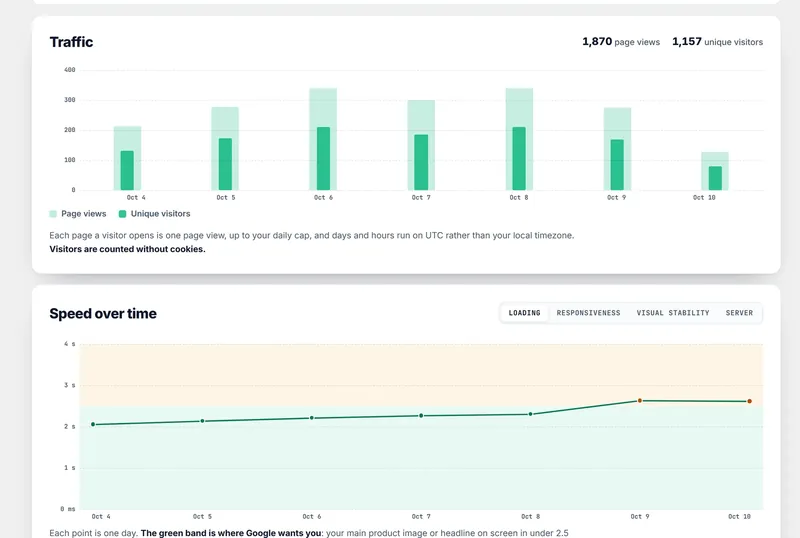
The daily speed chart keeps your history, so you'll know whether WP Rocket, Redis or LiteSpeed Cache helped you get better scores.
See the plugin
 Example
 Premium
How to install
Free vs Premium
Free account
$0 no credit card required
CartHacker Premium PRO
Loading your price a month or Loading your price a year
In your currency, with your local tax.
Everything in Free, plus:
Common questions
Install the free CartHacker Core Web Vitals Monitoring plugin, press Start free monitoring and open your site once. CartHacker > Core Web Vitals then shows Loading, Responsiveness and Visual stability from your real visitors, pass or fail by Google's rule.
Google counts a page as good when 75% of visits load in under 2.5 seconds, react to a tap in under 200 milliseconds and shift by less than 0.1. The plugin checks all three on every real visit and shows pass or fail for each.
No. The measuring script loads deferred from your own site, runs after the page is ready and sends one small report per page view.
No, it works alongside them. Your cache plugin changes how your pages load, and this plugin shows whether the change actually helped your visitors.
PageSpeed Insights tests one page once, on a simulated phone. The plugin shows what your real visitors got on their own phones and laptops, which is the data Google judges your site by.
Yes, on any WordPress site. On a WooCommerce store it also recognizes product, category and cart pages, so Premium can split your speed by page type.
Yes, on the free plan. The alert compares the last 7 days with the 7 days before and sends at most one email a week, plus the weekly report.
No. The plugin sets no cookies and stores nothing on the visitor's device, so there's nothing new to ask consent for.
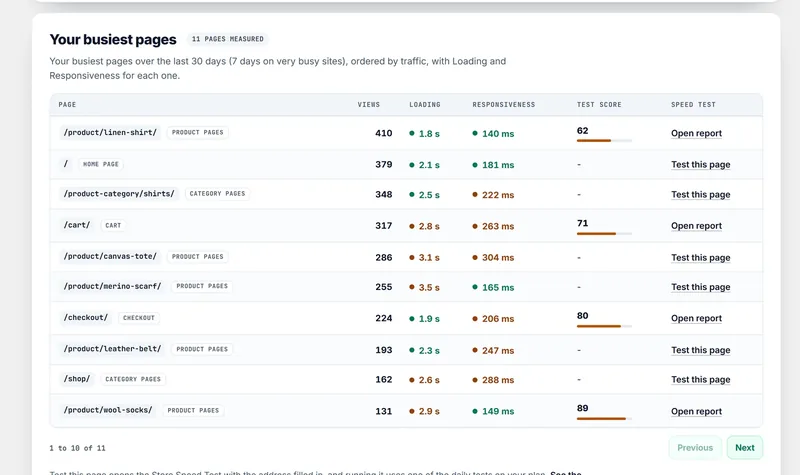
Real-visitor Core Web Vitals, your traffic, 7 days of speed and traffic history, the weekly report and the slowdown alert, up to 1,000 page views a day. Premium adds 180 days of history and the speed of each of your busiest pages.
One CartHacker account monitors one site. Use a separate account for each site you want to watch.
Free on every account, no credit card required.
Start free monitoringAre you using Shopify or another platform? Core Web Vitals Monitoring works with any store software