Free QR Code Generator Create Custom QR Codes Instantly
Generate high-quality, custom QR codes for your website, digital business cards, text messages, or WiFi networks. Add your own logo, customize colors, and download print-ready files in vector SVG, PNG, or JPG formats. 100% free for commercial use, no sign-ups required, and your static codes will never expire.
Your QR code updates in real-time as you type, allowing you to scan and test it instantly from your screen.
Scanning this QR code instantly prompts the user to save your details to their phone's address book. Leave any field blank to exclude it from the final contact card.
Plain text is stored securely inside the matrix pattern itself. It scans perfectly without any internet connection.
Print this for the reception or counter. Customers join your WiFi instantly. The password is encoded securely in the code pattern.
Counts every scan and keeps the destination editable after printing. Requires a free account.
Scan tracking needs a free accountA tracked code is a live link on our domain, so it has to belong to somebody. The owner is the only person who can read its scan numbers and the only person who can ever change where it points.Create a free account or sign in
Encoded short link
You can change the final destination of this link at any time, even years after the code has been printed.
Saved to your QR code library.Every design tweak you make is saved. You can always re-download the exact file, edit the contact details, or check scan stats directly from your
dashboard.
Keep it brief. A clear CTA drives significantly higher conversion rates.
Supports PNG, JPG, WebP, and SVG formats up to 2 MB. Pushing the logo size above 22% of the code width dramatically increases the risk of scanning failures on physical materials.
Matrix Data Shape
Corner Finder Style
Brand Colors
Automatically locked to Maximum while a custom logo is active.
Your QR code is ready to generate. But creating the code is only step one. Below, you will find the ultimate CartHacker guide to QR code best practices - from optimal sizing and error correction levels, to high-conversion print placement. Discover how to ensure your codes scan instantly on any device, anywhere.
What Is a QR Code and How Does It Work?
A QR code is a two dimensional barcode: a grid of black and white squares that stores data in both directions instead of only across, which is why it holds thousands of characters where the striped barcode on a cereal box holds thirteen digits. Denso Wave, a Toyota subsidiary, designed it in 1994 to track gearbox parts moving down a production line faster than the linear barcodes of the day could keep up with. The design brief was speed of recognition from any angle, and that decision is the reason the format took over the world thirty years later, once every person on earth started carrying a camera.
Scanning is not a network operation. The camera sees the pattern, the decoder locates the three big squares in the corners, works out the orientation and the perspective distortion, reads the grid of light and dark cells into a stream of bits, corrects whatever it got wrong, and hands the result to the operating system. All of that happens on the device in a few milliseconds. If the payload is a website address, the phone then offers to open it. If it is WiFi credentials, contact details, or plain text, the phone acts on it without touching the internet at all.
Why the format costs nothing to use
QR is published as an open standard, ISO/IEC 18004. Denso Wave holds patents on it and made a public decision not to enforce them, keeping only the words "QR Code" as a trademark. Nobody licenses the geometry, nobody charges per scan, and no company can switch the format off. That is the whole reason a free QR code generator can exist and stay free: the standard itself has no owner collecting rent. When a custom QR code maker charges you money, it is charging for hosting, redirects, analytics, or design work, never for the code itself.
That distinction matters more than it sounds, and it is the single most useful thing to understand before you generate anything. A code that carries your data directly is yours in perpetuity. A code that carries somebody else's short link is a subscription with a print bill attached. We come back to this in detail below, because it is where most people building their first codes lose money.
Inside the Symbol: What a Scanner Actually Reads
Every QR code is built from the same fixed parts, and knowing which parts are structural is what stops you from designing a code that cannot be read. Nothing in the pattern is decorative. The generator on this page lets you restyle a lot of it, and it protects the parts that must not change.
Finder patterns. The three large squares in the top left, top right, and bottom left corners. They tell the decoder where the code is, how big it is, and which way up it sits. They are why you can scan a code upside down or at forty five degrees. Restyle their shape if you want, but never cover one.
Separators and the quiet zone. A one module blank ring around each finder, plus a four module blank margin around the entire symbol. The quiet zone is not padding you can trim to fit a layout. It is how the decoder knows where the code ends and your artwork begins.
Timing patterns. A single row and a single column of strictly alternating light and dark cells running between the finders. They give the decoder the module pitch, so it can map a photographed, warped, slightly out of focus grid back onto exact cell coordinates.
Alignment patterns. Small concentric squares that appear from version 2 upwards and multiply as the code grows. They correct the barrel and perspective distortion you get when a code is photographed at an angle or wrapped around a bottle.
Format and version information. Bits sitting next to the finders that declare the error correction level and the mask pattern in use. They are stored twice and protected by their own error correcting code, because if a decoder cannot read these, it cannot read anything else either.
Data and correction codewords. Everything left over. Your payload, plus the recovery data that lets the symbol survive damage, woven through the remaining space in a zigzag and then scrambled by one of eight mask patterns so the result does not accidentally contain large blank areas or fake finder patterns.
The masking step is worth a sentence of its own, because it explains why two codes carrying almost identical links look completely different. The encoder tries all eight masks, scores each result against penalty rules for long runs of one colour, large solid blocks, and patterns that could be mistaken for a finder, then keeps the lowest scoring version. Change one character in your URL and the winning mask can change, which flips the visual appearance of the entire code. It is not a bug, and it is not the generator being inconsistent.
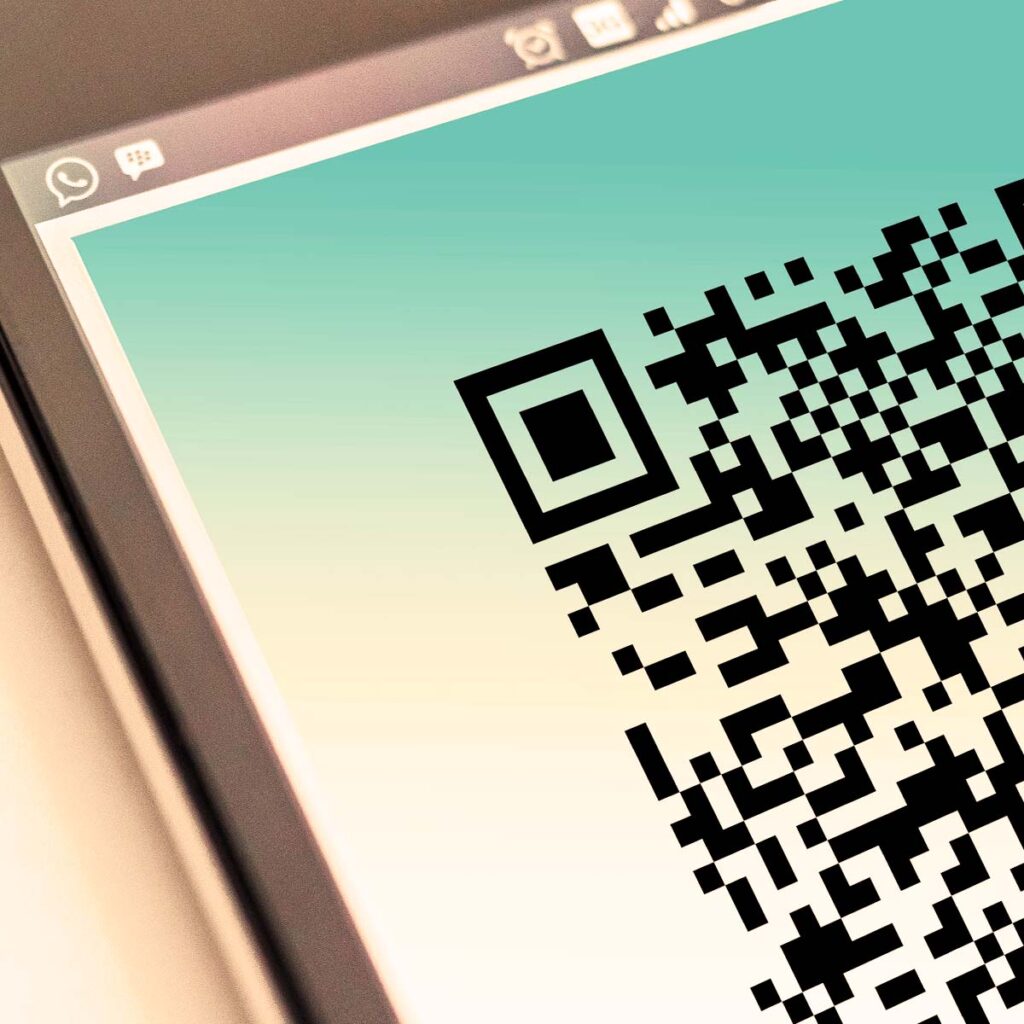
Close up, the practical consequence is visible in the image below: the sharper the boundary between light and dark cells, the more margin a decoder has to work with.
Fig. 01Make Custom QR Code OnlineA close-up view of a perfectly scannable, high-contrast QR code generated online and displayed directly on a smartphone screen.Screen to screen scanning is the easiest case there is: the display supplies its own light and perfect contrast. Everything printed is harder than this, which is why print sizing gets its own section below.
Notice how clean the corner finder is in that shot, and how the cells hold their edges even where the screen is photographed at an angle. That is the condition every printed code is trying to approximate and never quite reaches, because paper absorbs ink, ambient light is uneven, and nothing on a shelf is ever perfectly flat.
How to Create a Custom QR Code Online for Free
Four steps, about three minutes, no account needed to build and preview. This online QR code generator runs entirely in your browser, so there is no software to install and no registration to sit through, and what you type into the fields above never leaves your machine unless you deliberately switch on tracking.
1
Pick what the code should carry
Choose a website link, a business card, plain text, or WiFi login details. Each tab writes the payload in the exact format phones expect, so a business card lands in the contacts app and a WiFi code joins the network instead of opening a browser. The preview redraws as you type, with nothing sent to a server.
2
Style it, then add your logo last
Set the module shape, the corner style, and the colours to match your brand, then pick a frame with a short call to action if the code is going somewhere people need a nudge to scan. Upload a logo at the end. Error correction jumps to its highest level automatically the moment a logo is loaded, so the code can rebuild whatever the logo covers.
3
Read the warning under the preview
The tool measures your colour contrast and your logo coverage on every redraw. An amber note means the design is marginal and will read on a modern phone but not on an older handheld scanner. A red note means it will not read reliably at all. Neither is decoration, so fix the design before you go any further.
4
Print a test, then export
Use the 2 cm print test to get a real scan on paper at the smallest size that matters, and try it with a cheap phone in poor light rather than your own flagship. Once it reads, export SVG for anything going to a printer and PNG at 1024 pixels or higher for anything on a screen.
What you can turn into a QR code
Almost everything people search for here is one of four jobs, and the first one wears a lot of different names:
URL to QR code. Any link works. A product page, a Google Form, a hosted PDF, a Maps address, a payment page, a booking calendar. Paste it into the Website tab and you have converted a link to a QR code. There is no separate PDF format and no separate Google Form format, only a code pointing at the file or form you already host.
vCard business card code. The Business card tab writes full contact details into the symbol itself, so the details land in the phone's address book with no profile page in between.
WiFi code. Network name, security protocol, and password, encoded once and read offline forever.
Plain text. Batch numbers, serial numbers, machine identifiers, short instructions. Nothing to load, nothing to host, no connection required.
Use the 2 cm print test before anything else. The button under the preview exports the code at exactly 236 pixels, which is 2 cm at 300 dpi. Print it on your own office printer, scan it from arm's length, and you have tested the worst realistic case in under a minute. A code that survives that will survive almost anything you put it on.
Static or Dynamic: The Expiry Trap in Free QR Code Generators
This is the part of the subject that costs businesses real money, and almost every free QR creator on the first page of Google is quiet about it.
A static code contains your data. Type https://yourstore.com/summer-sale and those characters are encoded into the pattern as mathematics. No server sits in the middle. Nothing can be revoked, rate limited, or switched off. The code is a printed object that resolves to a destination, the same way a printed phone number does.
A dynamic code contains a short link belonging to whoever generated it, something like qr-vendor.io/x7Kp2. That link redirects to your real destination. This buys you two genuine features: you can change the destination after printing, and you can count scans. It also means a third party now sits between your customer and your website, permanently, on every single scan for the entire life of the printed material.
What the middleman actually costs
Consideration
Static code
Dynamic code
Expiry risk
None. There is nothing to expire.
Total. The vendor's trial, pricing change, or shutdown kills every printed code at once.
Editable destination
Only if you point it at a URL you control and redirect that
Yes, from the vendor dashboard
Scan analytics
Via campaign parameters and your own server logs
Built in, per scan
Data exposure
None. No third party sees the scan.
The vendor logs the IP address, device, and rough location of every customer who scans
Speed
Direct to your page
One extra DNS lookup, TLS handshake, and redirect hop before your page starts loading
Pattern density
Higher if the URL is long
Lower, because short links encode into smaller symbols
Sensible for
Packaging, product labels, signage, business cards, anything with a long print life
Short campaigns, A/B tests, media buys where the destination genuinely changes
The redirect trick that gets you both
There is a third option, and it is what we would actually do. Encode a static code that points at a short path on your own domain, for example yourstore.com/box, and set up a 301 redirect on your own server from that path to wherever you want the traffic to go. Add campaign parameters to the destination so the traffic is identifiable in analytics: ?utm_source=qr&utm_medium=print&utm_campaign=summer-box.
The result is a code with no expiry date, no third party in the loop, no customer data handed to a vendor, a destination you can change any time you like by editing your own redirect, and full attribution in your own analytics. The only thing you give up is a per scan counter, and a dedicated redirect path in your own access logs replaces most of that anyway. If your domain outlives the print run, so does the code. That is a lower bar than trusting a QR startup to still exist in 2031.
The generator on this page builds static codes by default for exactly this reason. Tracking is a switch you have to find and turn on, and it is never enabled behind your back. Leave it off and every tab produces a genuinely offline code: the address, the contact details, the network password or the message live in the printed pattern, nothing is stored on our servers, and no scan is visible to anybody including us.
Turn it on and the trade is explicit. The code stops carrying your content and starts carrying a short link to our servers, which is what buys you the two things a static code can never have: a scan count, and the ability to change what the code says after it is printed. That now applies to all four types, not just web addresses. A business card code resolves to a hosted contact card with a Save to contacts button, a WiFi code resolves to the network name and password, and a text code resolves to the message. Correct a phone number, rotate a WiFi password or rewrite a message, and the cards already in circulation are current again on the next scan. The cost is the one named at the top of this section: those codes now depend on a server, and the server is ours.
So the honest recommendation has not moved. For a web address, the redirect on your own domain beats both. For a business card that will sit in wallets for three years, a tracked code is the difference between a correction and a reprint, and that is a judgement only you can make.
The counter setup below is the textbook case for a static code. A small restaurant prints a code once, it sits in a stand next to the till for years, and there is no marketing team standing by to reprint it when a vendor changes its pricing.
Fig. 02Free QR Code Generator For Business ReviewsAn example of a static QR code generated for a local restaurant, placed on the counter to easily collect customer reviews and feedback.Counter placement wins because the customer is already stopped and already holding a phone. Point it at a path on your own domain and you can swap the review platform later without reprinting the card.
Note the practical details in that setup: the card stands upright rather than lying flat, so the camera is not fighting overhead glare, and it sits at the point of payment rather than on the table, where it competes with plates. The code itself is doing the least interesting part of the job. Placement is doing the rest.
One warning on review codes. Sending a code to a page that filters happy customers to a public review site and unhappy ones to a private complaint form is review gating, and it violates the terms of Google, Amazon, and Trustpilot. Send everyone to the same place. The rating average you get is real, and it will not vanish when a platform audits you.
Error Correction: How Much Damage a Code Can Survive
QR codes carry redundant data so that a damaged symbol can still be decoded. The mechanism is Reed-Solomon coding, the same family of mathematics that keeps scratched CDs playing and gets telemetry back from deep space probes. The encoder adds correction codewords alongside your data, and the decoder uses them to detect and rebuild whatever it could not read.
You choose how much redundancy to buy. Four levels are defined by the standard, and the generator exposes all four.
Level
Recovers roughly
Capacity cost
Use it for
L (Low)
7% of codewords
Smallest symbol, densest data
Screens, email signatures, anywhere the code is never physically touched
M (Medium)
15% of codewords
Balanced, the default here
Flyers, business cards, posters, most print work
Q (Quartile)
25% of codewords
Noticeably larger symbol
Packaging, labels, outdoor use, anything that gets handled or scuffed
H (High)
30% of codewords
Largest symbol for the same payload
Industrial surfaces, curved containers, and any code with a logo on it
The part people get wrong
Level H does not mean you can cover 30% of the picture. The percentage is measured in codewords, not in area, and several things eat into that budget before your logo does. The finder patterns, timing patterns, alignment patterns, and format information are not protected by error correction at all, because they are what the decoder needs before correction can even start. Damage those and no amount of redundancy saves you.
The number is also a ceiling, not a comfort zone. A symbol running at 29% damage decodes in a lab and fails in a car park, because motion blur, glare, and a cheap camera sensor all consume part of the same budget. Treat the published figure as the point of failure and design well below it. In practice, that means a logo occupying no more than about 20% of the code width at level H, which is exactly where the generator starts warning you.
One piece of good news is built into the format. Codewords are interleaved across multiple correction blocks rather than stored in one contiguous run, precisely so that a single blot of damage spreads its effect thinly across many blocks instead of destroying one block completely. A centred logo is therefore close to the best possible shape of damage. A coffee ring across one corner, or a label torn along one edge, is much worse, even though it looks like it covers less.
The tool handles the logo case for you: upload any image and the level locks to H automatically, with a note under the selector explaining why. You can still pick your own level for codes without a logo, and Q is the honest choice for anything that will live on a shelf.
How Much Data Fits, and Why Short Links Scan Better
QR codes come in 40 sizes, called versions. Version 1 is a 21 by 21 grid. Every version up adds four modules to each side, so version 40 is 177 by 177. The encoder picks the smallest version your payload fits into at your chosen error correction level, which is why adding a few characters to a URL sometimes makes the pattern visibly denser all at once instead of gradually.
Version
Grid
Characters at level L
At level M
At level H
1
21 x 21
17
14
7
3
29 x 29
53
42
24
5
37 x 37
106
84
44
10
57 x 57
271
213
119
40
177 x 177
2953
2331
1273
Those figures are for byte mode, which is what this generator uses for everything. Byte mode with a UTF-8 declaration is the only mode that handles accented characters, non Latin scripts, emoji, and the line breaks a vCard needs, so we encode everything that way rather than switching modes to save a handful of modules on links that happen to be all uppercase. The status line under the preview reports the version and level actually chosen on every redraw, so you can watch the symbol grow as you type.
Why this matters physically
Every extra module makes each module smaller for the same printed size. A version 3 code printed at 3 cm has modules around 1 mm across. The same 3 cm printed as a version 10 code has modules around half a millimetre, which is where cheap printers, uncoated stock, and older phone cameras start to struggle in poor light. Payload length is not an abstract number. It is the physical width of the smallest feature your printer has to reproduce and your customer's camera has to resolve.
Keep printed URLs short. Under about 70 characters keeps you in comfortable territory. Long campaign parameter strings belong on the destination page via a redirect, not baked into the printed symbol.
Drop what the browser adds back. Nothing needs www. in a printed code, and modern browsers upgrade to HTTPS anyway. Every character removed is one less thing to shrink.
Trim the vCard. A business card code with a fax number, a full postal address, and a job title can double the version compared to a name, mobile, and email. Encode what a person will actually use.
Do not encode a document. There is no such thing as a QR code containing a PDF. What people mean by that is a code pointing at a hosted PDF, which is a plain website code and behaves like one.
Design and Print Rules That Actually Hold Up
A code that looks perfect in a design file and fails on cardboard is the most common expensive mistake in this whole subject. The rules below are the ones worth following without argument.
Size against scanning distance
The working rule is a ratio of ten to one: the code needs to be roughly one tenth as wide as the distance it will be scanned from. Everything else is a refinement of that.
Where it goes
Typical scan distance
Minimum printed size
Business cards and product labels
15 - 25 cm
2 - 3 cm
Packaging, inserts, packing slips
25 - 40 cm
2.5 - 4 cm
Flyers, brochures, menus
30 - 45 cm
3 - 5 cm
Shelf talkers and counter cards
40 - 70 cm
4 - 7 cm
Posters and window graphics
1 - 2 m
10 - 20 cm
Trade show banners
2 - 4 m
20 - 40 cm
Billboards and building wraps
10 m and beyond
1 m and beyond
Two adjustments to those numbers. Add 20 to 30% if the code is going somewhere people cannot walk up to, such as behind a counter, above a doorway, or on the far side of a shop window. Add the same again for anything printed on uncoated or absorbent stock, for the reason in the next paragraph.
Substrate, ink spread, and the surfaces that fight you
Ink spreads on porous material. Kraft cardboard, uncoated label stock, recycled paper, and fabric all absorb ink laterally, so dark modules grow and the light gaps between them shrink. Push the module size too small on that kind of surface and adjacent dark cells merge into blobs, which no error correction can undo because the decoder is not reading damage, it is reading the wrong cells. On kraft and uncoated stock, go one size up from the table and use level Q rather than M.
Gloss, varnish, and shrink wrap. Specular reflection puts a white blowout across part of the symbol at exactly the angle people naturally hold a phone. Ask for a matte finish, or a spot matte varnish over the code area only if the rest of the packaging has to stay glossy.
Curved surfaces. Bottles, cans, jars, and tubes bend the grid. Keep the symbol narrow relative to the curve, roughly under a quarter of the visible arc, and use level Q or H so the alignment patterns have help. Test on the actual container, never on a flat proof.
Direct thermal labels. The cheap receipt style label printers used across fulfilment produce codes that fade under heat, sunlight, and friction. For anything that has to survive a warehouse or a summer delivery van, use thermal transfer with a resin ribbon.
Textiles and corrugated board. Both distort the grid mechanically. Print bigger than the table suggests, and accept level H as the cost of doing business.
Red and orange codes. Fine for phone cameras, invisible to the red laser scanners still in use across logistics. If anything other than a phone will ever read the code, keep it black.
The quiet zone is not a margin you can trim
The standard requires four modules of blank space on all four sides. Designers under layout pressure crop it, because it looks like whitespace, and it is the single most common cause of a code that scans from a screenshot but not from the finished print. Text crossing into it, a border box drawn too tight, a fold line, or a background photograph bleeding into it all break the decoder's ability to isolate the symbol. The generator paints the quiet zone into every export rather than assuming the surrounding layout will provide it, and if you use a frame from the frame picker, the frame respects it.
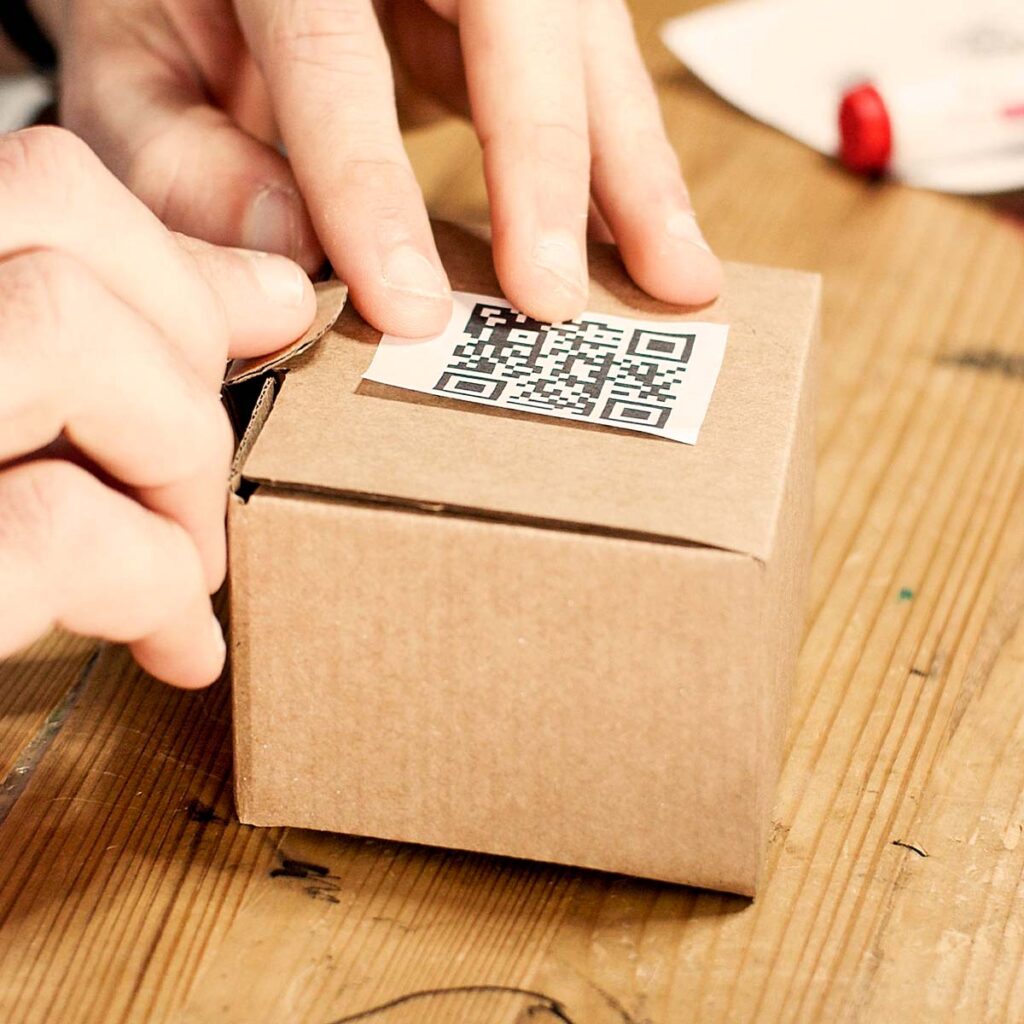
The packaging example below shows all of this working at once: a matte white label on brown corrugated board, applied flat, with real blank space around the pattern and no artwork competing with it.
Fig. 03Free QR Barcode Maker For E-commerce PackagingThe process of applying a generated QR code sticker to a cardboard shipping package to streamline returns, reordering, or digital unboxing experiences.A white label on kraft board is the right call: printing dark modules straight onto brown card costs you contrast, and ink spread on uncoated fibre closes the gaps between cells.
The detail worth copying there is the label itself. It would have been cheaper to print the code directly onto the box, and it would have scanned worse in every respect: less contrast against brown fibre, more ink spread, and a code sitting across a corrugation ridge instead of on a flat plane. A separate matte label solves all three problems for a fraction of a cent.
How to Create a QR Code With a Logo Without Killing the Scan
Everything in the design panel is a trade against readability. That is not a reason to avoid it, because an unbranded black square gets scanned less often than a code that looks like it belongs to a business people recognise. It is a reason to know what each control costs.
Safe by design
Dark modules on a light background, always in that direction
Contrast ratio above 4.5 to 1, measured, not eyeballed
Logo under 20% of the code width, centred
Rounded or dot modules with the finder shape restyled to match
A single flat brand colour, dark enough to pass on white
A frame with a short call to action such as SCAN ME
Where codes die
Inverted designs, light modules on a dark background
Gradients that fade the modules toward the background at one end
A logo big enough to touch the timing patterns
Pastel or mid grey modules that look fine on a monitor
Artwork or a border crossing into the quiet zone
A code placed over a photograph instead of a flat area
Contrast, measured rather than guessed
The tool calculates the real contrast ratio between your two colours on every keystroke and reacts in two stages. Below 4.5 to 1 you get an amber advisory, which means modern phones will manage it and older handheld scanners will not. Below 3 to 1 you get a red one, which means stop. Inverted codes trigger the red warning too, because although most current phone cameras handle light on dark, a large share of industrial and older scanners simply refuse them, and you cannot control which reader your customer is carrying.
There is one more trap the checker catches for you. A transparent background looks great in a preview on a dark theme and prints onto white paper, where a pale code disappears entirely. If you tick transparent, the tool tests your module colour against white rather than against whatever the preview is showing.
Module shapes and finder styles
Square modules are the reference implementation and the most tolerant of everything. Rounded modules cost a little at small sizes because the corners of each cell are what the decoder samples. Dots cost the most, since they shrink the effective dark area of every cell, and at 2 cm on cardboard that difference is real. Connected modules sit between the two. If a code is going somewhere physically demanding, the honest answer is squares. On a screen or a large format print, use whatever matches the brand.
Finder styles are safer than they look. Circular or leaf shaped corners still present the same nested ring structure the decoder looks for, and decoders are considerably more tolerant here than the folklore suggests. The rule is proportion: the ring, the gap, and the core must stay in their original ratio, which the generator enforces for you.
Large format is where branding pays off most, because size gives you back all the margin the design costs. The billboard below carries a centred logo in a symbol that is metres wide, so a logo occupying a fifth of the width is still leaving hundreds of readable modules in every direction.
Fig. 04Generate Scannable QR Code With LogoA practical demonstration of scanning a large-format custom QR code with an embedded central logo from a public advertising billboard.Large format buys margin. The same logo ratio that is risky on a 2 cm label is comfortable when each module is several centimetres across and the viewer can step closer.
One thing that shot gets right and most billboard placements get wrong: the code is at a height and angle a person can actually point a phone at. A code six metres up an unlit wall satisfies the size table and still collects zero scans. Reachability is a design constraint, not an afterthought.
QR Code or Retail Barcode: Which One You Need
A large share of people searching for a free barcode generator online actually want a QR barcode maker for their website or packaging, while a smaller but important share want an EAN or UPC retail barcode and will waste a week finding that out. The two are not interchangeable, and no barcode create online tool can give you the second one legitimately for free.
Comparison
QR code
EAN / UPC retail barcode
Contains
Anything you type, up to a few thousand characters
A single licensed product number, 8 to 13 digits
Who issues it
Nobody. You generate it yourself, free.
GS1, against a paid membership tied to your company
Selling a physical product through retail and most marketplaces
This tool makes it
Yes
No, and neither can any other free generator
If a marketplace or a retail buyer has asked you for a barcode, they mean a GS1 number and you have to license it. If you are numbering your own stock internally, or routing customers to a page, a QR code does the job and costs nothing. Plenty of products carry both: the retail barcode for the till, and a QR code for the customer.
Worth knowing where this is heading. GS1 has been pushing a migration toward two dimensional codes at checkout, with QR codes carrying a GS1 Digital Link so that a single symbol serves the till and the shopper's phone at once. Retail rollout is uneven and the retail barcode is not going anywhere yet, but the direction of travel is one code doing both jobs.
Where QR Codes Actually Earn Money
The glamorous placements are the ones that underperform. Billboards and magazine spreads look impressive and convert badly, because the person seeing them has no reason to act yet. The codes that pay for themselves are the boring ones, placed where somebody is already holding a phone and already has a problem your page solves.
Inside the box
Packing slip reorder codes. One code per consumable product, pointing straight at a prefilled cart. The customer scans it when the bottle runs low, not when the parcel arrives. This is the highest converting placement in e-commerce and almost nobody does it properly.
Setup and instruction codes. Printed on the product itself, not on a leaflet that gets thrown away with the packaging. A code pointing at a two minute setup video removes the most common support ticket category in most hardware businesses.
Returns and warranty registration. A code that opens the returns portal with the order already identified turns your worst customer experience into your cheapest one, and warranty registration collects the email address a marketing team spent months failing to get.
Batch and provenance codes. Plain text codes carrying a batch number, a packing date, or a production line identifier. No internet required, readable by any phone, and considerably harder to smudge into illegibility than a handwritten label.
In the shop and on the shelf
Shelf talkers. A small card under the price label linking to specifications, reviews, or a size guide. Retail's answer to a product page, at the exact moment of hesitation.
WiFi at the counter. Print the network code once and staff stop reading passwords aloud. The WiFi tab writes the standard format phones expect, and the code stays entirely offline.
Out of stock recovery. A code on the empty shelf edge that takes the customer to the same item online. This is free revenue that most retailers hand to a competitor.
Window codes after hours. Two thirds of the people who walk past a closed shop are past it for good. A window code linking to the online store is the cheapest recovery mechanism there is.
B2B, field service, and internal routing
Asset tags on hardware. A code on a rack unit, a machine, or a fleet vehicle, pointing at its own maintenance record or runbook. The engineer standing in front of the equipment stops searching a wiki for a serial number.
Business card codes. The Business card tab writes a full vCard, so the contact lands in the phone's address book with no hosted profile page in the middle. It works on a card, an email signature, a name badge, or a stand panel.
Trade show lead capture. A code on a stand panel pointing at a short form beats a fishbowl of business cards, and it timestamps every lead automatically.
Invoice payment codes. A code on a printed invoice that opens a prefilled payment page shortens the collection cycle measurably, particularly with small business customers.
Documentation on equipment. Manuals, safety sheets, and calibration certificates linked from the machine itself. The alternative is a binder nobody can find.
Retail promotion sits in the middle of that range. It works when the code is in the customer's hand rather than on a wall, which is what the flyer below is doing.
Fig. 05Create Custom QR Code For Retail MarketingA retail marketing application showing a customer holding a printed custom QR code used for promotional discounts and offline-to-online conversions.A code the customer carries home outperforms one on a wall, because it gets scanned in the evening on the sofa rather than in a queue with a basket in one hand.
The handout in that photograph is doing something a poster cannot: it survives the trip home. Print the discount code in readable text next to the QR code as well, so the offer still works when the code will not scan, when the phone battery is dead, or when the customer simply prefers typing. A printed fallback costs you nothing and recovers the scans you would otherwise lose.
QR Code Security: The Sticker Nobody Checks
A QR code is unreadable to a human. That is the whole security problem in one sentence. Nobody can look at a pattern of squares and tell whether it points at your payment page or somebody else's, which has produced a category of fraud commonly called quishing.
The attack is physical and requires no technical skill. Somebody prints a sticker and places it over the real code on a parking meter, a restaurant table, an electric vehicle charger, or a payment terminal. Customers scan it, land on a convincing copy of the payment page, and pay a stranger. The business finds out days later from complaints, and the reputational damage lands on the business, not the attacker.
Print the domain in text beside the code. A customer who can see the destination before scanning has a chance to notice when it changes. This is the single most effective countermeasure and it costs one line of type.
Laminate or use tamper evident labels. A sticker over a laminated code peels; a sticker over paper does not. For unattended terminals, use security labels that leave a void pattern when removed.
Include the code in opening checks. Staff who look at the code every morning notice the day it changes. This is a thirty second task with a large payoff.
Prefer your own domain over a shortener. A code that resolves to your own domain gives the customer something recognisable in the browser's preview. A random short link teaches customers that unrecognisable destinations are normal, which is exactly the habit an attacker relies on.
Never encode credentials or personal data directly. Anything in a static code is readable by anybody who photographs it. That includes the WiFi password in a WiFi code, which is fine for a guest network and wrong for the network your till runs on.
On the generator side, the same logic explains why scan tracking here requires an account. An anonymous service that lets anybody mint a redirect link on a trusted domain is a phishing tool with a marketing page, and open redirect abuse is how short link services acquire the reputation that gets them blocked by mail filters. Requiring an account keeps every tracked link attributable.
The Test Protocol Before a Print Run
Ten minutes of testing against the cost of reprinting a pallet of packaging. This is how you confirm you have a genuinely scannable QR code rather than one that only works on the designer's monitor. Run this every time, in this order.
1
Read the warning under the preview first
Contrast and logo coverage are checked on every redraw. An amber note means marginal, a red note means it will not read reliably. Neither is advisory decoration. Fix the design before printing anything at all.
2
Print the 2 cm test on your own printer
Not the design proof, not a screenshot. Paper, at the smallest size the code will ever appear at, from the printer that will produce the real thing if you can manage it.
3
Scan with the worst phone in the building
Your own flagship is the least useful test device you own. Borrow a three or four year old Android with a scratched lens. That is what your customers are carrying.
4
Test in bad light and at an angle
Indoor evening light, and again at roughly forty five degrees. If the code only reads flat under a desk lamp, it does not work in a shop.
5
Check the destination on the phone that scanned it
Confirm the page loads fast on mobile data, that it is not blocked by a cookie wall on first paint, and that the redirect chain is one hop rather than four. A code that scans perfectly into a slow page is still a failed code.
6
Sign off on a physical proof
For a real print run, get a proof on the actual substrate and scan that. Coated stock, kraft, matte vinyl, and shrink film all behave differently, and a digital proof tells you nothing about ink spread.
Export the right file for the job. SVG for anything going to a printer, because it is geometry rather than pixels and scales without softening a single edge. PNG at 1024 pixels or more for screens, email, and slides. JPG only when a system refuses everything else, since its compression blurs precisely the edges the decoder needs.
Why Your QR Code Will Not Scan
Ranked by how often each cause turns out to be the actual culprit.
Symptom
Probable cause
Fix
Nothing happens at any distance
Contrast too low, or the code is inverted
Darken the modules, lighten the background, and never put light modules on dark
Works on screen, fails in print
Quiet zone cropped by the layout, or printed too small
Restore four modules of blank margin and go up one size band
Reads on new phones only
Marginal contrast, or dot modules at small size
Push contrast past 4.5 to 1 and switch to square modules
Stopped working after adding a logo
Logo above roughly 20% of the width, or overlapping a finder
Shrink the logo, keep it centred, confirm the level is locked to H
Only reads from one angle
Glare from gloss laminate or shrink film
Matte finish, or spot matte varnish over the code area
Blurry modules on cardboard
Ink spread on uncoated stock closing the light gaps
Print larger, use a white label, raise the level to Q
Fails on a bottle or tube
Curvature distorting the grid past what alignment can correct
Narrower code relative to the curve, level H, test on the real container
Phone scanner works, warehouse gun does not
Coloured modules, or an inverted design
Black modules on white for anything a laser reader will see
Scans, then lands on an error
The destination moved, or the redirect chain broke
Nothing to do with the code. Fix the URL, and next time point it at a path you control
Worked last year, dead now
A dynamic code from a vendor whose free tier ended
Reprint as a static code. There is no other fix, which is the entire argument for static.
One diagnostic shortcut worth knowing. If a code fails, photograph it and try to decode the photograph on a desktop machine. If the photograph decodes, the pattern is fine and your problem is physical: lighting, size, glare, or distance. If the photograph fails too, the problem is in the artwork, and no amount of better lighting will save it.
Frequently Asked Questions
Is this QR code generator free for commercial use?
Yes. Build as many codes as you want, put them on packaging, invoices, shop windows, vehicles, or paid advertising, and keep the files. No watermark is added, no attribution is required, and there is no per-scan fee. The image belongs to you the moment it lands in your downloads folder.
Do the QR codes expire?
Static codes cannot expire. The payload is encoded into the black and white pattern itself, so there is no server between the phone and the destination that could ever be switched off. The only thing that can break a static code is the destination: if you delete the page it points at, the code still scans and still resolves, it just lands on a 404. Optional tracking links are the exception, because those do route through our redirect.
Can I download the QR code as an SVG vector file?
Yes. SVG is the format to hand a printer, because it stores the code as geometry instead of pixels, so the same file prints at 2 cm on a label and at 2 m on a shop window with identical edges. Use PNG for anything on a screen, use SVG for anything that goes near a press, and treat JPG as a last resort because its compression softens module edges.
Why will my QR code not scan?
In order of how often it actually happens: not enough contrast between the code and its background, a logo covering too much of the middle, artwork or text crossing into the blank margin around the code, printing it smaller than about 2 cm, or an inverted design with light modules on a dark background. Fix contrast first, it accounts for most failures.
How small can a QR code be printed?
The working floor for a printed code carrying a short link is about 2 cm square on coated paper, and about 2.5 cm on cardboard, kraft, or anything uncoated where ink spreads. Below that the individual squares get close to the resolution a phone camera can resolve at arm length. The print test button in the tool exports the code at exactly 2 cm so you can check it on your own printer before ordering anything.
Can I put my logo in the middle of a QR code?
Yes, and the generator raises error correction to its highest level automatically as soon as you upload one, so the code can rebuild the data your logo covers. Keep the logo under roughly 20 percent of the code width. Above that you are gambling with the recovery budget, and the code may read on a new phone in good light while failing on a scanner at a warehouse door.
Do you store the URLs or contact details I type in?
No. Everything you type is encoded in your browser by JavaScript running on your own machine, and the preview is drawn on a canvas locally. Nothing you enter into the website, business card, text, or WiFi tabs is transmitted to us. The single exception is the optional tracking switch, which has to register a short link on our server to work at all, and which is off unless you turn it on.
Can I change where a printed QR code points afterwards?
Only if there is a redirect in the chain. Two ways to get one: turn on tracking here, which encodes a CartHacker short link you can repoint later, or point the static code at a URL on your own domain such as yourstore.com/box and change that redirect yourself whenever you like. For a plain web address the second option is the one we recommend, because the redirect stays under your control forever. For a business card, a WiFi sign or a printed message there is no equivalent trick, so tracking here is the only thing standing between a wrong phone number and a reprint.
Do QR codes work without an internet connection?
The scan always works offline, because decoding is pure maths performed by the camera. What happens next depends on the payload. WiFi credentials, plain text, and business card details are read and used immediately with no connection at all. A website code decodes offline too, but the phone obviously needs a connection to load the page it decoded.
Can I make a business card QR code that saves contact details?
Yes, that is the Business card tab. Left as a static code it writes a standard vCard, so scanning it opens the New contact screen on iPhone and Android with the name, phone numbers, email, company, job title, address, and website already filled in. Only the fields you complete are included, and the whole thing lives inside the code with no hosted page in between. Switch tracking on and the code instead resolves to a contact card hosted here, with the same Save to contacts result but two additions: you can count the scans, and you can correct a number after the cards are printed.
Can this tool generate a barcode for retail products?
No, and be careful with the wording here, because a QR code and a retail barcode are different things. The EAN or UPC stripes on a product are licensed numbers issued by GS1 and read by a till, and no free generator can legitimately issue you one. QR codes carry whatever you want and are read by cameras. Many shops need both, on the same label, for different readers.
Is this a free QR code maker or does it need software?
It is an online QR code generator and there is nothing to download. No installer, no freeware with a bundled toolbar, no desktop licence. Open the page, type, and the code is drawn in your browser. It works the same on Windows, macOS, Linux, iOS, and Android, because the only requirement is a browser from roughly the last five years.
How does this compare with the Canva or Adobe Express QR code generator?
Those are design suites with a QR feature attached, so the code is one element inside a document and getting a clean standalone file out of them is awkward. This is the opposite: a QR code builder that exports exactly the file a printer wants, with error correction, quiet zone, contrast checking, and true vector output as the point rather than an afterthought. Use a design tool for the poster, use this for the code that goes on it.
Do coloured QR codes still scan reliably?
Colour is fine as long as the code stays darker than its background, with a contrast ratio above roughly 4.5 to 1. Gradients, pastel codes, and light on dark inversions are where things break. Watch the warning under the preview: the tool measures the contrast of your chosen colours in real time and tells you when a design has crossed from a stylistic choice into a scanning failure.
Free CartHacker tools
Free speed test and trust badges for Shopify and WooCommerce stores
Find the apps that slow your store down, by name and in milliseconds, then answer shoppers' doubts with trust badges under Add to cart. Both are free, with no card and no access to your store admin.
Take the file and go, that is fine. But right now this QR code is a picture in your downloads folder: if the address behind it changes, it is scrap. A free account takes about fifteen seconds and turns it into a QR code you still control after it is printed.
5 free QR code slotsSave a QR code with its exact colours, frame, shape and logo, then come back in six months and download the identical file again.
Change what a printed QR code saysWrong number on 500 business cards, or a campaign URL that moved. Fix it in your dashboard and every printed QR code keeps working.
See who actually scans your QR codesTotal scans, unique scanners, country and device. Enough to tell whether the poster earned its place on the wall.
Print resolution and true vector1024, 2048 and 4096 pixel exports plus SVG, which is the only format a printer will thank you for.
The rest of the toolkitEvery CartHacker tool and the guides our readers use to raise conversion rates on Shopify and WooCommerce.
Save & Track Your QR Code
Create a free CartHacker account to unlock dynamic features.
A tracked QR code is a live link hosted on carthacker.com that points wherever you tell it. It has to belong to somebody, because the owner is the only person who can read its scan numbers and the only person who can ever change its destination. Create a free account or sign in and the switch works immediately.
Total Control Over Your DestinationsDynamic QR codes rely on short links to allow future edits. An account ensures you - and only you - have the administrative rights to change where your printed codes redirect.
Private Scan AnalyticsTrack total scans, unique visitors, devices, and geographic data securely inside your personal dashboard.
Works Across All FormatsWhether it is a Website, Business Card, WiFi, or Text QR - manage them all in one place and edit them long after they go to print.