A static QR code holds your link inside the printed pattern, so it works forever and can never change; a dynamic QR code holds a short link to a service that sends the shopper on, so you can change where it goes, count every scan and even turn it into a contact card after it is printed. Static suits anything permanent. Pick dynamic when you want to measure scans, fix mistakes or reuse the print. For packaging that lives for years, there is a third option most guides leave out, and it combines the best of both.
What is the difference between a static and a dynamic QR code?
The difference is where the information lives. A static code stores the full address, contact details or Wi-Fi password in its black and white squares, so the phone reads everything straight from the paper. A dynamic code stores only a short link. When someone scans it, the phone opens that short link, and the service behind it decides, at that moment, what to show.
| Static QR code | Dynamic QR code | |
|---|---|---|
| Change the destination after printing | No | Yes, any time |
| Switch the type, for example from a website to a contact card | No | Yes, with CartHacker's codes |
| Count scans | No, unless the link carries tracking tags | Yes: when, where and on which device |
| Size on paper | Grows with the length of the link | Stays small, because the short link is short |
| Keeps working if | Always, as long as the destination page exists | The service behind it keeps running |
| Cost | Free everywhere | Usually a free allowance, then a plan |
The last two rows hold the catch. A dynamic code is only as durable as the company running it, so if that company shuts down, or ends a free trial and switches your codes off, every printed copy stops working. That applies to CartHacker's codes too: they keep working while CartHacker runs. Read a generator's terms before you print ten thousand boxes.
Where a store can use QR codes
Most stores print one code on the packaging and stop there. There are many more places where a scan saves a shopper typing, and some of them are where repeat sales come from.
| Where | What the code opens | Static or dynamic |
|---|---|---|
| Product packaging | How to use it, recipes, a reorder page | Dynamic, or your own short path |
| Shipping cartons | A thank-you page with a discount for the next order, return instructions | Dynamic, so the offer can change each season |
| Business cards | A contact card that saves your details to the phone | Dynamic, so a new phone number does not mean a reprint |
| Printed mail and catalogs | The products on that page, a campaign landing page | Dynamic, one code per mailing to count each one |
| Email newsletters | The same offer on the phone, or a coupon to show in a shop | Dynamic |
| Shop windows | Your online store, open when the shop is closed | Dynamic, to point it at this week's window |
| Restaurant and cafe tables | The menu, table ordering, a review page | Dynamic, so the menu can change without new stickers |
| Wi-Fi signs | The network name and password, joined in one tap | Static, or dynamic if the password changes |
| Invoices and receipts | A review request, a reorder page | Either |
| Trade fairs and events | A contact card or a sign-up page | Dynamic, to count visitors per event |
Email surprises most store owners. Some readers open a newsletter on a laptop and prefer to buy on their phone, and a QR code next to the offer moves them from one to the other in a single scan. It works the other way round too: a code in an email can be shown at a shop's till as a coupon.
Why a shorter link means a smaller, safer code
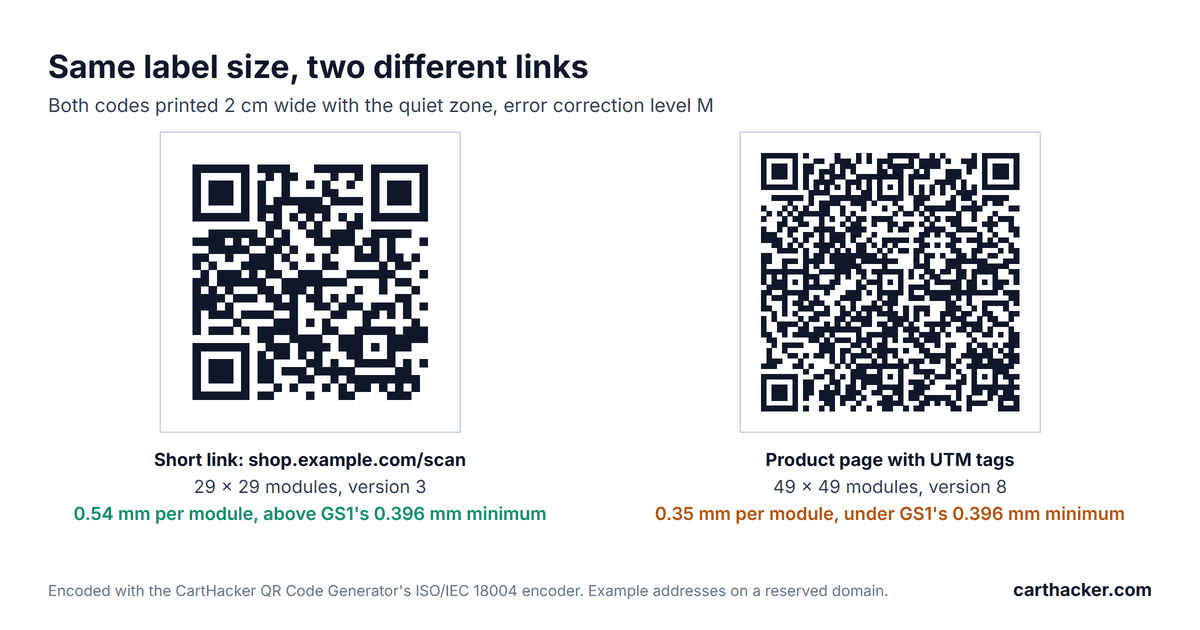
Every character of a link adds black and white squares, called modules, to the code. The more modules, the smaller each one becomes at the same printed size, and the harder the code is to scan from a crumpled pouch or a phone held at an angle. I tested five typical store links. The encoder is the one our QR Code Generator uses, which follows the international QR standard, ISO/IEC 18004.
| Link | Characters | Code size | Smallest print | Recommended print |
|---|---|---|---|---|
| Dynamic short link, carthacker.com/qr/... | 33 | 29 x 29 modules | 1.5 cm | 1.8 cm |
| Short path on your own domain, shop.example.com/scan | 29 | 29 x 29 modules | 1.5 cm | 1.8 cm |
| Product page address | 63 | 37 x 37 modules | 1.8 cm | 2.2 cm |
| Product page with UTM tracking tags | 123 | 49 x 49 modules | 2.3 cm | 2.8 cm |
| Product variant with UTM tracking tags | 146 | 49 x 49 modules | 2.3 cm | 2.8 cm |
Error correction level M, the usual default. Sizes include the blank margin of 4 modules on every side and use GS1's module sizes for retail packaging: at least 0.396 mm, ideally 0.495 mm. GS1 is the organization behind the barcodes on retail products.
A logo changes the math. To survive the squares a logo covers, the code switches to the highest error correction level, H, and the tracked product variant link then needs 65 x 65 modules and about 3.6 cm at the recommended size. The short link stays at 33 x 33 and about 2 cm. Short links win on packaging, where every square centimeter is already spoken for.
The third option: a short path on your own domain
Print a static code that points at a short address on your own store, such as yourstore.com/scan, and send that address anywhere you like with a redirect. The code stays small. It depends on nobody else, you can change the destination whenever you want, and with tracking tags on the destination your analytics count the scans as visits. This is the option our own QR Code Generator recommends for plain web addresses on packaging.
- On Shopify: in your Shopify admin, go to Content, then Menus, click View URL redirects, then Create URL redirect. Enter /scan as the old address and your product page as the new one. Shopify only redirects addresses that do not exist yet, so pick a path no page uses.
- On WooCommerce: install the free Redirection plugin, open Tools, then Redirection, and add /scan as the source and your product page as the target.
- Count the scans: add tracking tags to the target, for example ?utm_source=packaging&utm_medium=qr, and the visits appear under that source in Google Analytics and in Shopify's reports.
The limit is the type. A redirect on your website can only open a web page. A contact card, a Wi-Fi login or a text message needs either a static code, which can never change after printing, or a dynamic code that can.
What a dynamic code can change after printing
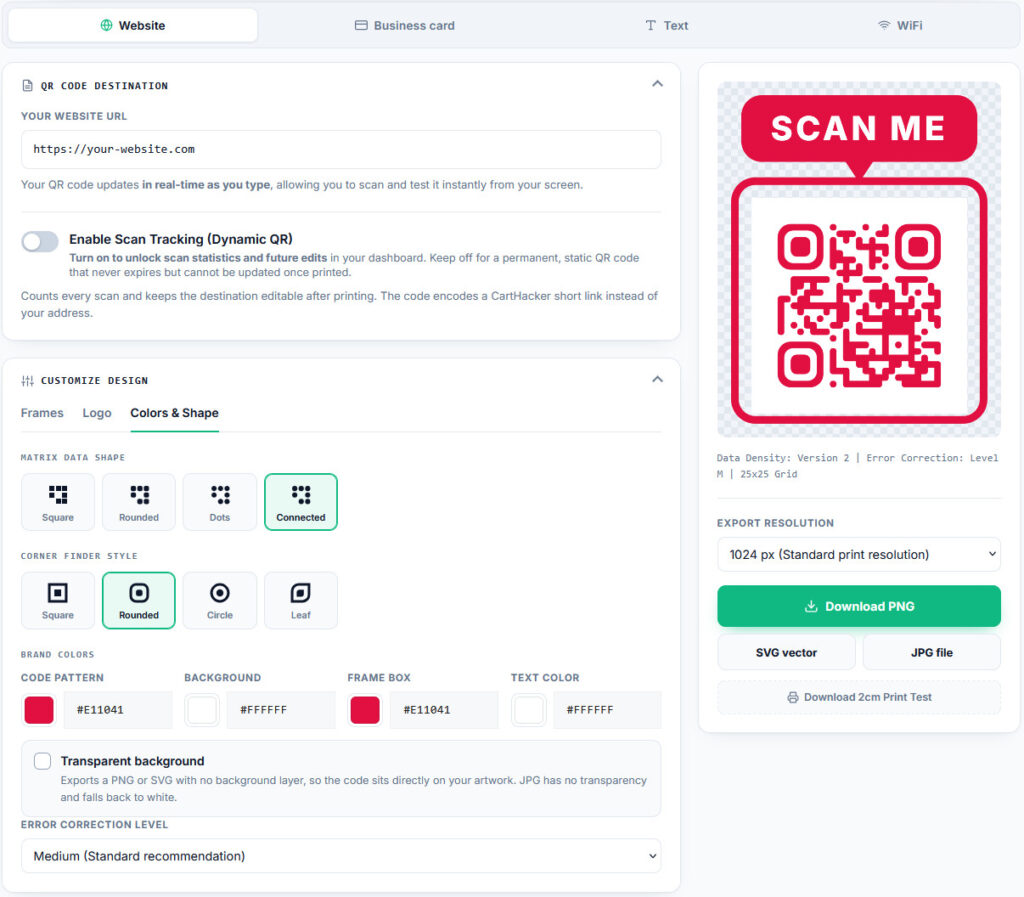
With CartHacker's QR Code Generator, the printed pattern only ever holds a short link, so everything behind it stays editable. That goes further than changing the web address.
- The destination: point the code at a new product, a seasonal offer or a fixed typo. The change applies to the very next scan, because the code sends phones on with a temporary redirect that no phone stores.
- The type: switch a printed code between a website, a contact card, a Wi-Fi login and a text message. A business card can become a booking page; a window sticker can become a Wi-Fi sign.
- On and off: pause a code and scans show a short notice instead, then switch it back on.
- The scan count: scans by day, country, device and operating system, with every visitor's address stored only as a one-way hash.
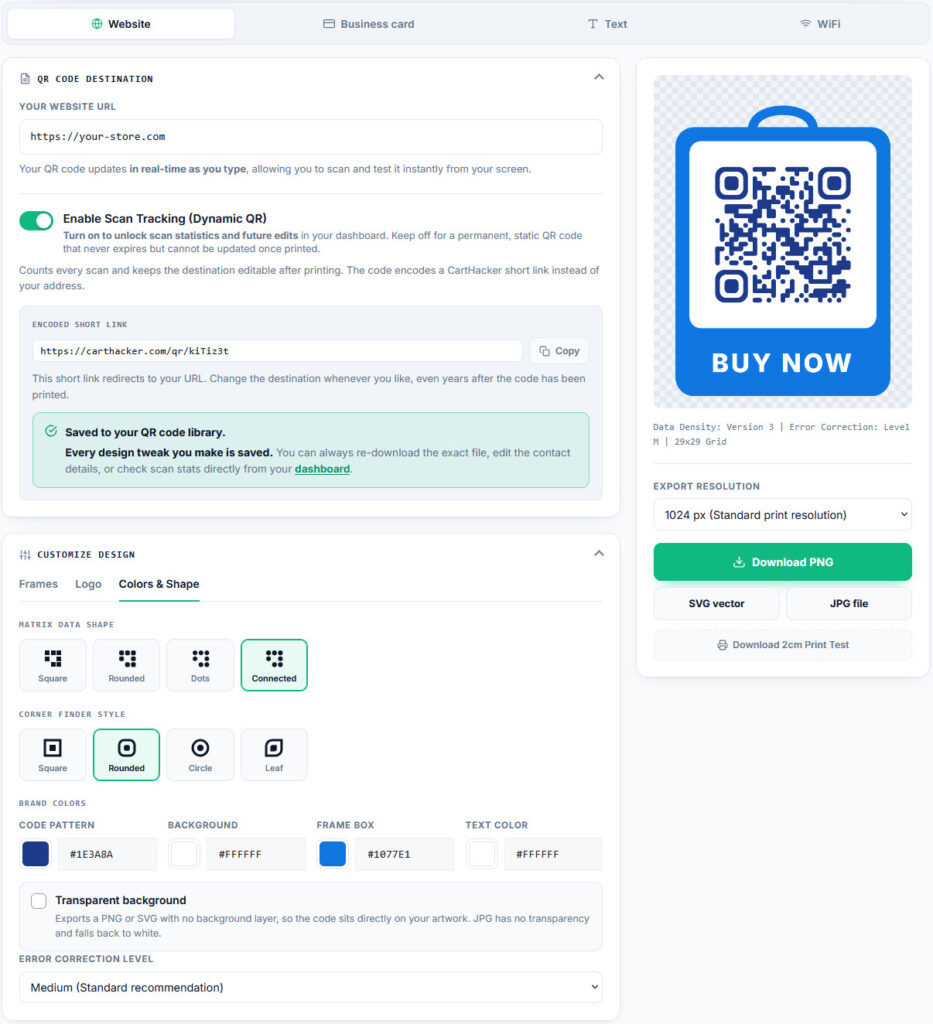
If a CartHacker Premium subscription ends, no printed code stops working. Every code keeps sending scans to its destination, and only scan counting shrinks to the free allowance.
Make a QR code you can still change after printing
Add your logo and colors and download a print-ready file. A free account adds scan tracking and a destination you can edit, on up to 5 codes.
Create a QR codeHow to print a QR code that scans
- Keep the link short: a dynamic link or a short path on your own domain.
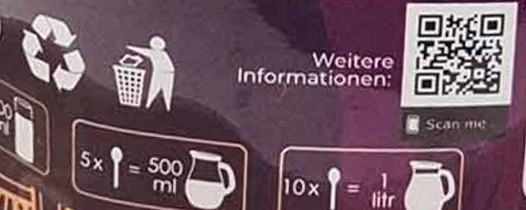
- Print it big enough: about 2 cm wide for a short link, 3 cm or more for a long one, and larger for anything scanned from a distance, such as a window or a poster.
- Leave the margin empty: keep a blank border of 4 modules around the code, with no text or pattern inside it.
- Use dark on light: black or dark blue on white or a light color. Some phones fail on light codes on dark backgrounds.
- Avoid seams and folds: a code bent over a pouch's seam or a carton's edge often fails.
- Add a line of text: say what the scan gives, such as Recipes and reorder or Scan for Wi-Fi. People scan more when they know why.
- Test the proof: scan the printed sample with two or three phones, including an older one, before the full run. CartHacker's generator has a Download 2cm Print Test button for this step.
QR code questions store owners ask
Do dynamic QR codes expire?
Not by themselves. They stop working when the service behind them does, whether it closes, removes free codes or ends a trial. Choose a provider whose terms say plainly what happens to printed codes; CartHacker's codes, for one, keep sending scans on even when a Premium subscription ends.
Can I change a static QR code after printing?
No. A static code is the address itself, printed in squares. If the page it points at moves, add a redirect from the old address on your website, which is the trick behind the short path on your own domain.
How small can a QR code be?
For a short link, about 1.5 cm wide including its blank margin, following GS1's smallest module size for retail packaging. Long links need more. Print a test on the real material and scan it with several phones, including an older one, before you settle on a size for the whole run.
Can I track a static QR code?
Only through the page it opens. Add tracking tags to the address and your analytics count the visits from the code. Each tag makes the address longer and the printed code bigger, which is why a short path on your own domain with the tags on the redirect target is the neater way.
Do QR codes work in emails?
Yes, and few stores use them. A reader on a laptop scans the code with their phone and the offer opens there, which suits anyone who prefers to finish a purchase on the phone. A code can also act as a coupon that the reader shows at a shop's till.
Make a QR code you can still change after printing
Add your logo and colors and download a print-ready file. A free account adds scan tracking and a destination you can edit, on up to 5 codes.
Create a QR codeSources
- ISO/IEC 18004, the international QR code standard. Code sizes from the encoder in CartHacker's QR Code Generator.
- GS1: GS1 General Specifications, QR code module size and quiet zone for retail packaging.
- Shopify Help Center: URL redirects.
- WordPress: Redirection plugin.
- Google: Campaign URL Builder for UTM tracking tags.