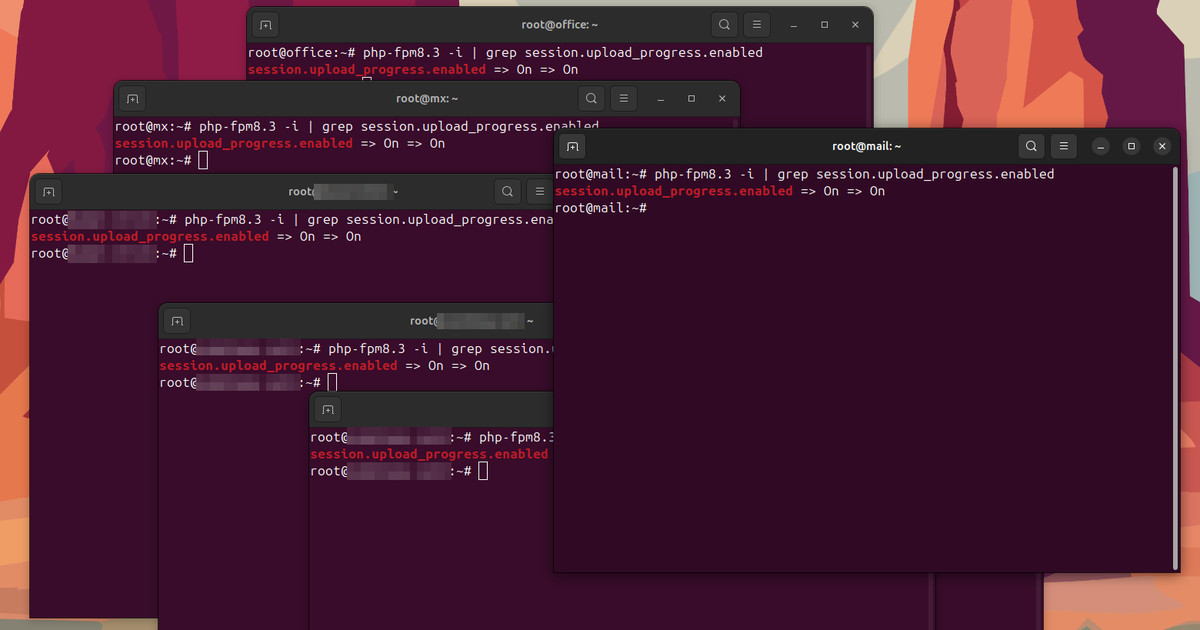
On Wednesday I patched PHP2Shell on every server I look after. On Friday PHP announced CVE-2026-115560, a third bug that comes with no patch at all, only a setting to switch off. So I went back through the same client servers and checked that one setting. It was on, on every single one of them.
Nobody had made a mistake. Session upload progress is on by default in PHP, and none of my clients' setups had ever changed it. It's also the path most PHP2Shell attack attempts have used so far.
Updating PHP closed CVE-2026-109618 and CVE-2026-109619. It did nothing for this.
If your store runs WooCommerce, Magento, PrestaShop, Shopware or OpenCart on a server with PHP 8.2, 8.3, 8.4, 8.5 or 8.6 (or anything older), this is for you: the one-line fix for every PHP version on the machine, what it breaks, and the PHP update for Ubuntu, Debian, Red Hat, AlmaLinux, Rocky, Amazon Linux, Docker, Windows and Mac. On Shopify, Wix, Squarespace or BigCommerce, the platform runs the servers, so you can close the tab.
| PHP2Shell, three days in | |
|---|---|
| The bugs | CVE-2026-109618 and CVE-2026-109619, both 9.2 out of 10, and CVE-2026-115560 (October 23, rated unlikely by PHP) |
| What an attacker gets | Their own code running on your server with no login, or a read of passwords and API keys from PHP's memory |
| Fixed in | PHP 8.5.12, 8.4.27, 8.3.36, 8.2.35 and 8.6.0 RC4 (October 21), or your distribution's patched build. CVE-2026-115560: no fix until PHP's next regular release |
| Exploited? | Millions of attempts, no confirmed break-in as of October 23, working exploits already built |
| What to do | Update PHP, set session.upload_progress.enabled=0, restart every PHP process |
CVE-2026-115560 asks for one setting, not a patch
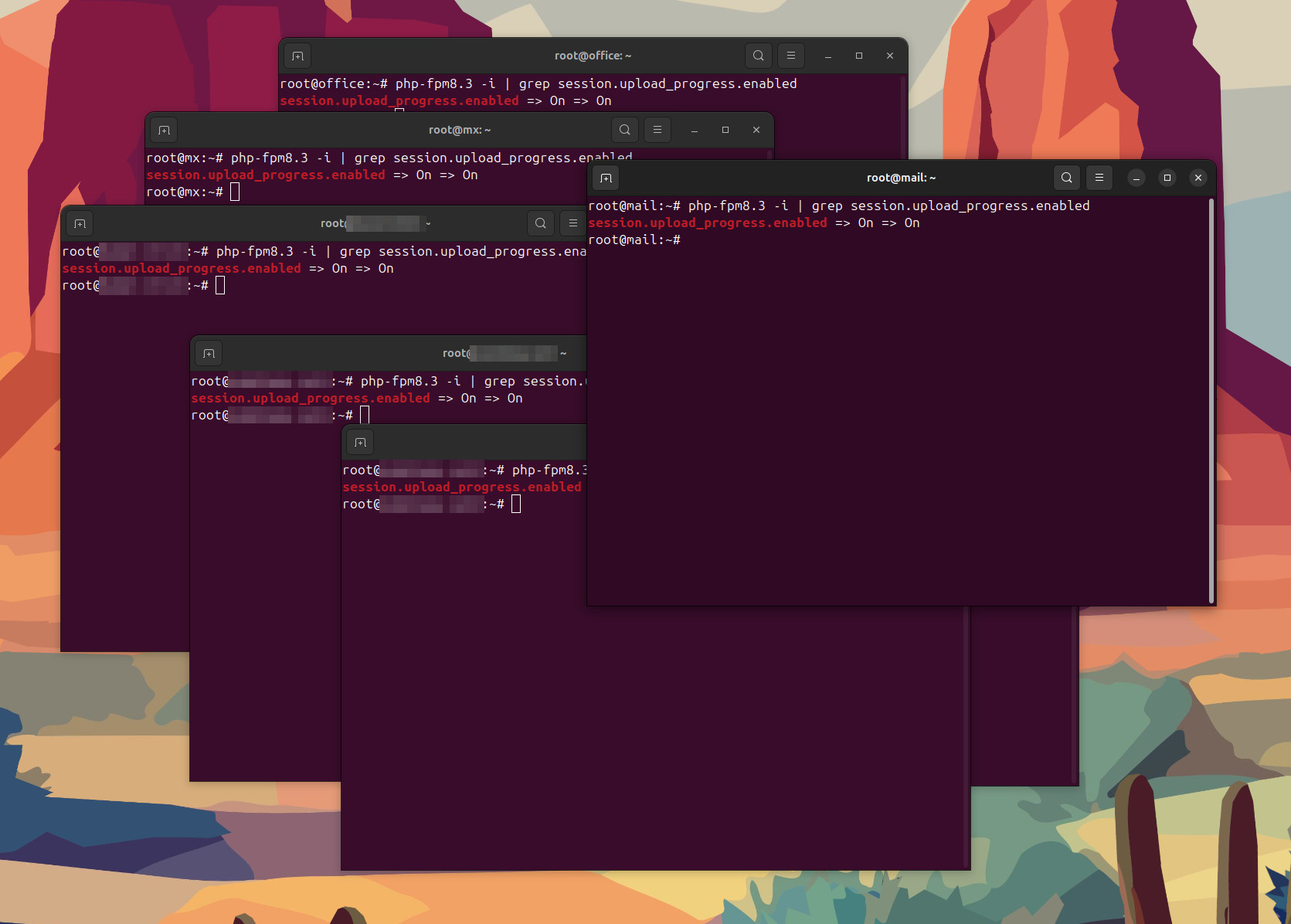
PHP's advisory of October 23 is short. The new bug needs an unusual setup (an application that switches its session serialize handler at runtime, before it starts the session), PHP calls that unlikely, and the fix will ship with the next regular release instead of an emergency one. Until then, PHP suggests session.upload_progress.enabled=0 "to fully protect from an unlikely RCE vector". It's the same line PHP listed against CVE-2026-109619 on Wednesday, so if you set it then, you're done.
I'd set it even if the new bug never touched you. Hadrian, one of the security firms watching attacks on the day of the release, said most of the attempts it saw went through PHP's session upload progress. The ready-made attack tool SOCRadar found on an attacker's server came in the same way.
Turn it off for every PHP version on the server
Here's the catch on real servers: plenty of them run more than one PHP. One of the servers I look after has four branches side by side, each with its own php.ini, its own PHP-FPM service and its own binary. On Debian and Ubuntu that binary carries the version in its name (php-fpm8.3, php-fpm8.4), so a plain php-fpm -i answers "command not found".
The setting has to go into every branch, and where PHP reads it before the request: php.ini or the FPM pool, never ini_set() or a .user.ini file.
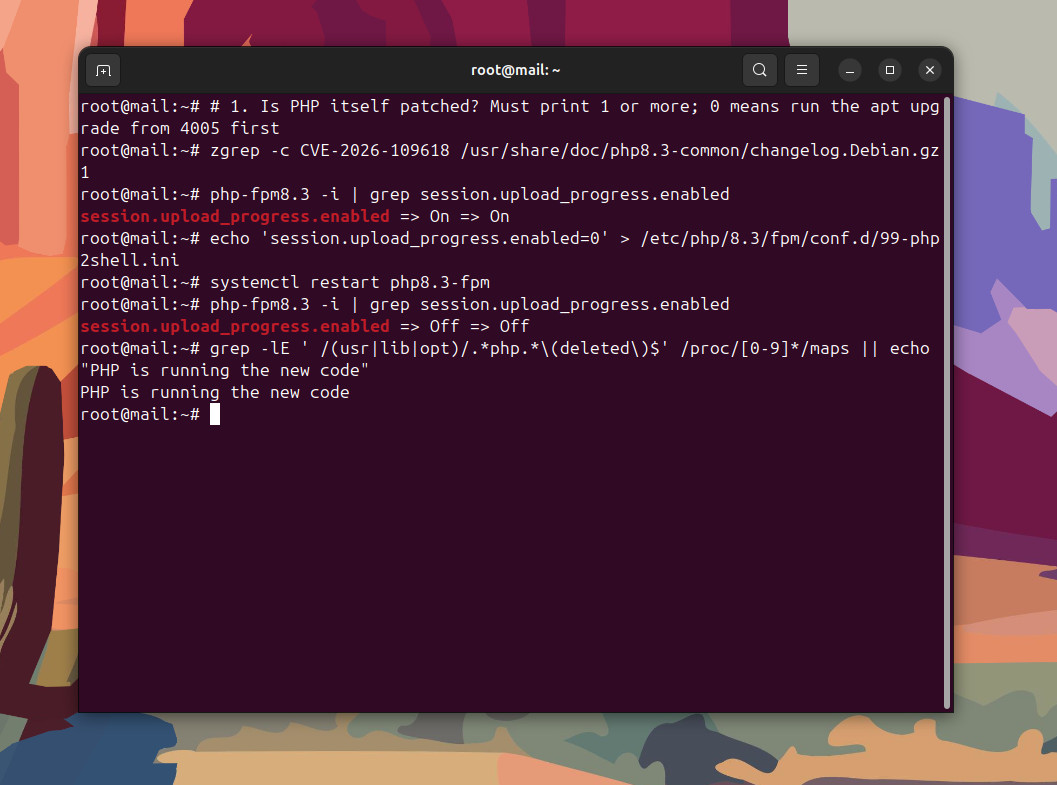
This loop does it for every PHP under /etc/php, as root: it writes the setting for PHP-FPM, Apache's mod_php and php-cgi where they exist, says whether that branch has the PHP2Shell fix, restarts it and prints the result.
for dir in /etc/php/*/; do
  v=$(basename "$dir")
  for sapi in fpm apache2 cgi; do
    [ -d "/etc/php/$v/$sapi/conf.d" ] && echo 'session.upload_progress.enabled=0' > "/etc/php/$v/$sapi/conf.d/99-php2shell.ini"
  done
  fixed=$(zgrep -c CVE-2026-109618 "/usr/share/doc/php$v-common/changelog.Debian.gz" 2>/dev/null)
  echo "PHP $v: ${fixed:-0} changelog line(s) naming CVE-2026-109618"
  if systemctl cat "php$v-fpm.service" >/dev/null 2>&1; then
    systemctl restart "php$v-fpm"
    "php-fpm$v" -i | grep session.upload_progress.enabled
  fi
done
systemctl is-active --quiet apache2 && systemctl restart apache2
grep -lE ' /(usr|lib|opt)/.*php.*\(deleted\)$' /proc/[0-9]*/maps || echo "PHP is running the new code"
Every branch should print Off => Off, and a changelog count of 0 means that branch isn't patched yet: update it first. On Red Hat, AlmaLinux and Rocky the file goes into /etc/php.d/ and the binary is plain php-fpm.
What stops working when it's off
Almost nothing, and you can check it in a minute. Session upload progress lets PHP report how far an upload has got, but only to a form that sends a hidden field named PHP_SESSION_UPLOAD_PROGRESS and a page that keeps asking the session for the number. The upload itself works the same with the setting off.
Progress bars that the browser draws from JavaScript don't use it at all (the WordPress media uploader works that way), and WordPress core doesn't use PHP sessions in the first place.
To be sure on your own store, upload an image in Media > Add New Media File and a product image in WooCommerce after the restart. If an older plugin or a custom upload form shows a progress bar that stops moving, that's the one feature this setting touched; the file still arrives.
How PHP2Shell gets code onto your server
If you've had a long chat with ChatGPT or Gemini, you've probably watched it lose the thread: twenty messages in, it treats something from an earlier conversation as a fact about yours. PHP2Shell is that failure inside PHP, except the confused party runs your store, and the attacker gets to write the "earlier conversation".
A busy store keeps a few PHP workers alive (PHP-FPM manages them) and hands each one request after request, thousands an hour. Before each request a worker sets up its notes about it: the form fields, the uploaded file, the session. Afterwards it cleans up, so the next visitor starts from a blank page.
- CVE-2026-109618 breaks the setup. A request built to push PHP to its memory limit at exactly the wrong moment stops PHP halfway through writing its notes, and the cleanup then treats the half-written notes as valid.
- CVE-2026-109619 breaks the cleanup. A note from one request survives after the memory behind it has been freed, and whichever request that worker handles next reads it before anything resets it.
Either way the attacker controls what ends up in that memory, so PHP follows planted data as if it were its own instructions. That's the "shell" in the name: commands running on your server with the same rights as your store, which can read wp-config.php (and with it the database password), the payment gateway keys in your settings and every order. Wiz, one of the teams that found the bugs, also showed a quieter attack that reads passwords, tokens and API keys straight out of PHP's memory.
The code has been there since PHP 5.4, released in 2012. Turning it into an exploit takes a chain of steps Wiz calls "at the edge of what human researchers could practically achieve", and Wiz found it with AI: its own research tool plus Google's and OpenAI's models. The same models help attackers adapt an exploit to each server.
Is your store exposed?
PHP lists everything that serves web pages as at risk, whichever way it's wired up: PHP-FPM, Apache's mod_php (the worst case, in PHP's own words), php-cgi, LiteSpeed and FrankenPHP. The bug sits in PHP, not in your shop software, so updating WooCommerce or Magento doesn't fix it.
Wiz ran its exploit against the latest WordPress, Drupal and Joomla containers, and says even a simple "Hello World" page on an affected PHP is vulnerable. Sansec, which works on e-commerce security, named Magento, WooCommerce and Shopware stores among the systems at risk.
| Your store runs on | Who has to fix it |
|---|---|
| Shopify, Wix, Squarespace, BigCommerce | The platform |
| WooCommerce, Magento, PrestaShop, Shopware or OpenCart on shared or managed hosting | Your host (ask them) |
| Any of those on your own VPS or dedicated server | You, or whoever manages the server |
| Adobe Commerce Cloud, WordPress.com | Adobe, Automattic |
How many servers are still open? On October 23 Censys counted 34.4 million PHP services on a vulnerable version. PHP's own share of the web is 69.3% of the sites whose server language W3Techs can see, so that number isn't going to shrink fast.
The first 72 hours of attacks
| When (UTC) | What happened |
|---|---|
| October 17 | Amazon's honeypots (MadPot) log a PHP2Shell exploit attempt from an anonymization network, four days before disclosure, while the bugs were still under embargo |
| October 21, morning | Cloudflare's firewall rules go live for every customer, free plans included, about nine hours before disclosure |
| October 21, 14:00 | PHP releases the fix |
| 45 minutes after disclosure | Cloudflare counts tens of thousands of exploit attempts |
| 2 hours after | Hundreds of thousands |
| October 22, early | Millions. Attackers try to install Potassium, a Mirai botnet that floods targets, and fail (Sophos, Arctic Wolf) |
| October 22 | SOCRadar finds a "one-click" exploit on an attacker's server, with scripts that had screened about 20 live sites in seven countries. No shell on any of them |
| October 23 | PHP publishes the CVE-2026-115560 advisory |
So, three days in: millions of attempts and no confirmed successful break-in. Sophos reads it as attackers struggling to build a reliable exploit, and its own team needed more effort than expected even with AI. VulnCheck says it already has a working exploit for servers that run PHP's recommended production settings, so the quiet won't last.
The leak made it worse for everyone else. Details of the bugs got out ahead of the planned release (TechTarget calls it a broken embargo), and plenty of operators switched off first and patched second. The Dutch National Cyber Security Centre took its own website down, followed by the Port of Rotterdam and Overheid.nl, and Finland pulled government network services.
France's Interior Ministry put all its sites into "preventive maintenance", more than 30 UK government services went offline, and so did cyber.gov.au in Australia. In the US, the NSA said that if an update isn't feasible, take the system offline until it's fixed.
Update PHP on your distribution
The setting is the stopgap; the update is the fix. How you check it depends on who built your PHP, because distributions copy the fix into the version they already ship and keep its old number (that's how a patched Ubuntu server still says 8.3.6, which I took apart in the guide from my eight servers).
Ubuntu 26.04, 24.04, 22.04, 20.04 and 18.04
Run apt-get update and upgrade the PHP packages. Ubuntu 24.04 ships the fix as 8.3.6-0ubuntu0.24.04.13, 22.04 as 8.1.2-1ubuntu2.28 and 26.04 as 8.5.4-0ubuntu1.5; on 20.04 and 18.04 it comes only through Ubuntu Pro (the free personal plan covers five machines). The zgrep line in the loop is the proof.
Debian 13 and Debian 12
The same apt upgrade. Debian 13 carries the fix in 8.4.27-1~deb13u1 and Debian 12 in 8.2.35-1~deb12u1. With Ondrej Sury's PPA on Ubuntu, php -v shows PHP's own numbers: 8.2.35, 8.3.36, 8.4.27 and 8.5.12.
Red Hat Enterprise Linux, AlmaLinux, Rocky Linux, CentOS Stream and Oracle Linux
Run dnf upgrade 'php*', then ask the package changelog: rpm -q --changelog $(rpm -qa 'php*common' | head -1) | grep -c CVE-2026-109618. More than 0 and the fix is in. When I wrote this, I couldn't find a published advisory for these CVEs from Red Hat or its rebuilds, so a 0 is likely: set the upload progress line in /etc/php.d/, add the other mitigations from PHP's advisory and keep checking. Remi's repository builds PHP's own releases, so there php -v should print the fixed number.
Amazon Linux 2023 and Fedora
Also dnf upgrade 'php*' and the same rpm changelog check. Fedora follows PHP's own version numbers, so php -v tells you directly once the update lands.
Docker images
The official php images (php:8.3-fpm, php:8.4-apache, the -alpine variants) build PHP from source, so their number is PHP's own. Pull the image again, rebuild your own image on top of it and recreate the container; docker run --rm php:8.3-fpm php -v should print 8.3.36 (or your branch's fixed release). A container keeps the old PHP until it's recreated, whatever the host says.
Windows servers
Windows gets PHP's own builds from windows.php.net, so the number is honest: 8.5.12 was up there at 13:48 UTC on October 21. For IIS, take the Non Thread Safe x64 zip, replace the PHP folder but keep your php.ini, add the upload progress line to it, then run iisreset.
Developer laptops: Laravel Herd, Homebrew, XAMPP
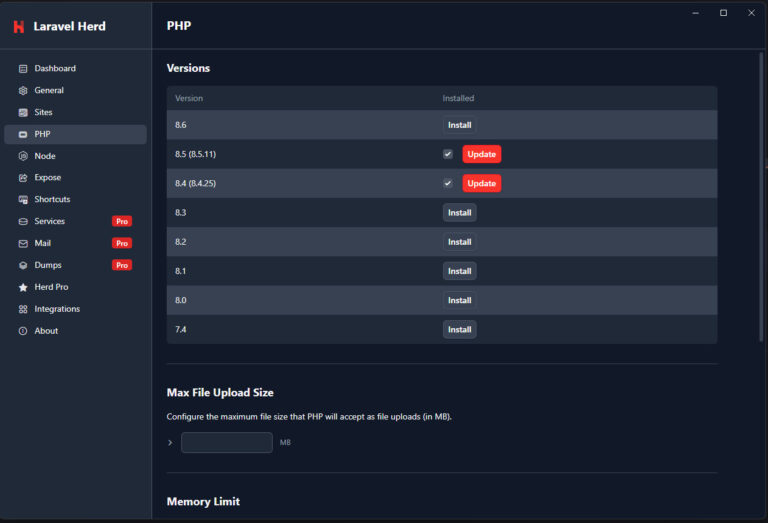
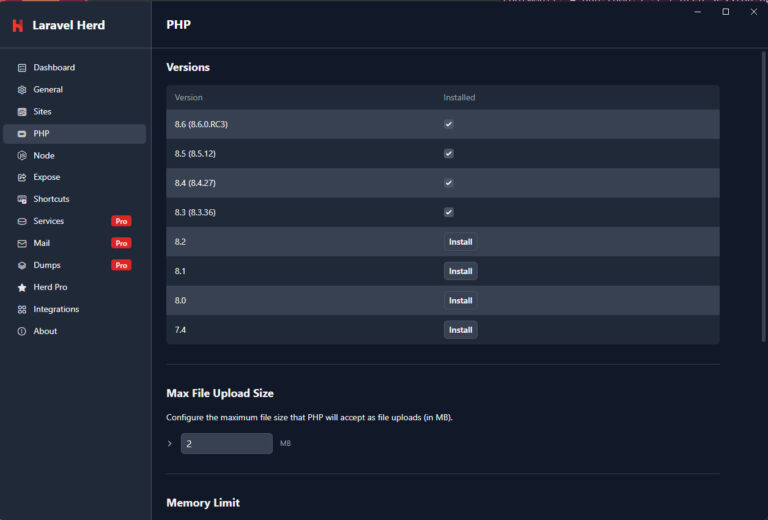
On my Windows laptop, Laravel Herd had 8.5.11 and 8.4.25 installed, each with a red Update button in PHP > Versions. After the updates it listed 8.5.12, 8.4.27 and 8.3.36. What surprised me was 8.6: Herd installed 8.6.0 RC3, and PHP's fix for the 8.6 line arrived in RC4. A release candidate doesn't belong on anything facing the internet anyway, but if you test 8.6 locally, check which RC you have.
On a Mac with Homebrew, brew update and brew upgrade php (or [email protected], [email protected]) do the same. XAMPP and WAMP carry whatever PHP their maker bundled until their next release, which is fine on a laptop and one more reason never to put a XAMPP install on the internet.
PHP 7.4, 8.0 and 8.1
PHP published minimal source backports for those three branches, Ubuntu Pro and Ondrej Sury's packages carry fixed builds, and that's all they'll get. Moving to 8.3 or newer is overdue.
Should you take your store offline?
A store that's offline loses today's orders. A store that's broken into loses its customer data and its payment keys, and that costs a lot more than a day. Here's how I'd decide:
- PHP updated, upload progress off, restarted: stay online. You're in better shape than most of the government sites that went dark.
- The host says it's patched but can't answer about upload progress or the restart: ask again, and put the store behind Cloudflare in the meantime.
- You can't update today (PHP 7.x, or nobody can touch the server): Cloudflare's free plan plus the mitigations in PHP's advisory is the least you do today. If the store takes payments and runs a PHP version nobody will ever update again, I'd switch it off, as the NSA says.
Why Cloudflare? Its PHP2Shell rules are deployed automatically on every plan, the Free plan included, and they check the server's response as well as the request, so they can see whether an attempt got anywhere. Cloudflare calls them a stopgap, and they are one, but moving a store's DNS to Cloudflare takes an evening and patching an old server can take a week.
When a server problem like this one breaks, I write it up for the CartHacker newsletter the same week, commands included.
Updates to this guide
- October 23, 2026: first version, after checking session upload progress on every client server I had patched on Wednesday (it was on everywhere) and updating PHP in Laravel Herd.
Sources
- PHP project: the October 21 security advisory, the PHP 8.6.0 RC4 announcement and the October 23 informational advisory on session upload progress, with the technical advisories GHSA-w8hw-w9fx-j79w (CVE-2026-109618) and GHSA-6wmf-4rv5-p3rp (CVE-2026-109619).
- SecurityWeek: PHP2Shell patches land as first exploitation attempts hit sensors (Hadrian on the session upload progress path).
- Wiz Research: PHP2Shell: AI uncovers critical RCE vulnerabilities.
- The Hacker News: PHP2Shell exploit attempts hit millions as attackers try to deploy Mirai malware (Cloudflare's counts, Sophos, Arctic Wolf, SOCRadar, VulnCheck) and PHP warns of another unpatched RCE risk.
- Security Affairs: PHP2Shell: millions of attacks, no confirmed successful exploits yet (the Censys count).
- Amazon: Amazon Threat Intelligence identifies PHP2Shell exploitation prior to public disclosure in MadPot, October 21, 2026.
- Cloudflare: Cloudflare deploys protections against php2shell vulnerability.
- Reuters, via CTV News: European government websites go dark as software flaw sparks security scramble, October 21, 2026.
- TechTarget: PHP2Shell disclosure unravels after leaks forced early patch drop.
- iTWire: PHP2Shell: the 14-year-old bugs that pulled cyber.gov.au and government sites worldwide offline.
- NSA: NSA Advisory: Critical Patches Recommended for PHP Vulnerabilities.
- Mass Market Retailers: Critical PHP flaw puts retail websites and e-commerce systems on alert (Sansec on Magento, WooCommerce and Shopware).
- W3Techs: Usage statistics of PHP for websites, October 2026.
- PHP for Windows: windows.php.net downloads. Laravel Herd: changelog.